Enable/Disable User
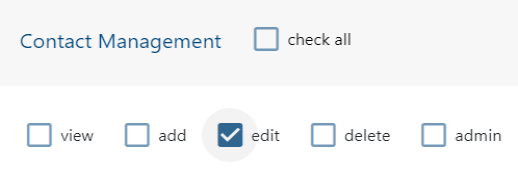
When new users sign up, their status is set to “disabled” until their account is active. Disabled users can’t access the infinitrac platform, and can't be manually enabled. For this action user must have “edit“ role enabled.
To enable/disable an already activated user:
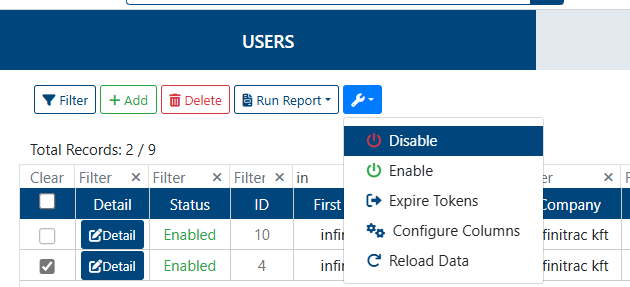
Select the the user(s) to mark as enable or disable, by clicking on the checkbox next to “Detail“ button.
Select the options dropdown
Click ‘enable’/'disable' as needed.
User’s status will change accordingly, on a success operation system will display: “User(s) has been enabled successfully“ or “User(s) has been disabled successfully“ as corresponds. A failed one will display: “Error: Failed to enable/disable user“.