Attaching an E-mail to a Project
To document every e-mail sent to an account, user can attach an e-mail address to a project. Every e-mail and its file contents will be uploaded to the specified folder in the project, viewable through the File Management module.
To attach an email to a project:
Select the project to delete making it active project in the project switcher.
Click on the project name to expand it and display the Detail View.
Select the e-mail tab.
Click the “Add” button.
A new popup modal will be displayed, fill the required fields.
Click “Add“ button to attach the email to the project. Or “Close“ button to discard the operation.

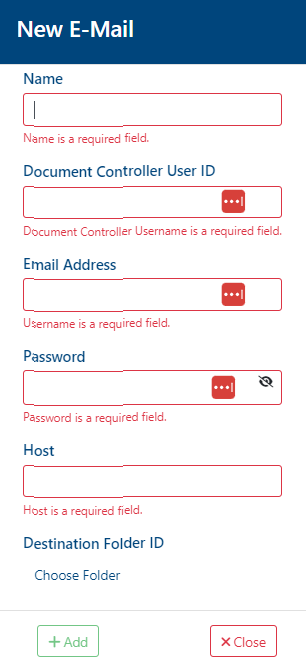
Document Controller User ID: the user’s ID in the instance, can be found it in the contact management module.
Host: The email address host, for example: infinitrac.com for email@infinitrac.com.
On a success transaction, a notification will be shown, displaying the next message: “Email has been added successfully“. Otherwise, on a fail will display: “Error: Failed to add email“.