Delete a Revision
Revisions added to a file can be easily deleted.
To do so:
Navigate to the folder containing the file to modify
Click on the "Rev Count" button to display the file Detail View.
Select one or more revisions to delete, by clicking on the checkbox (see screenshot below).
Click “Delete” button.
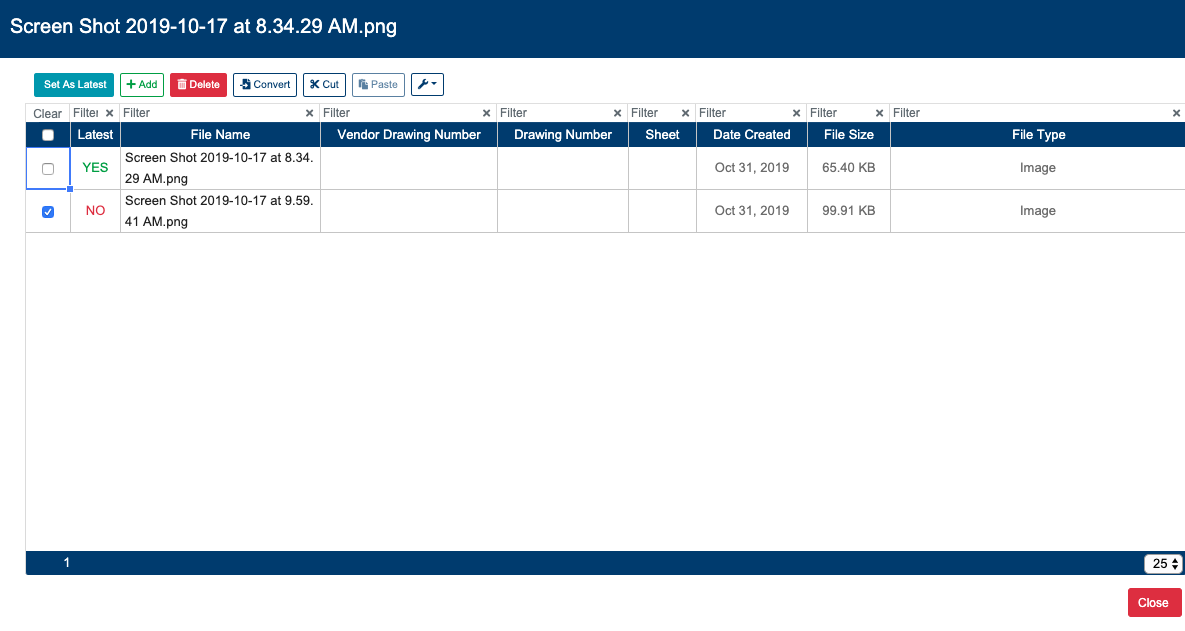
Latest revisions can not be deleted.
If the user wish to remove a version tagged as latest, may use the "make latest" button to set a previous version as latest. At this point user can remove the version that was previously the latest revision.
A success operation will display the message: “Removed X/X Revision(s)“. A failed operation will display: “Error: Failed to Remove Revision(s)“.