Basic Search
This article demonstrates how to perform a basic search.
Instructions
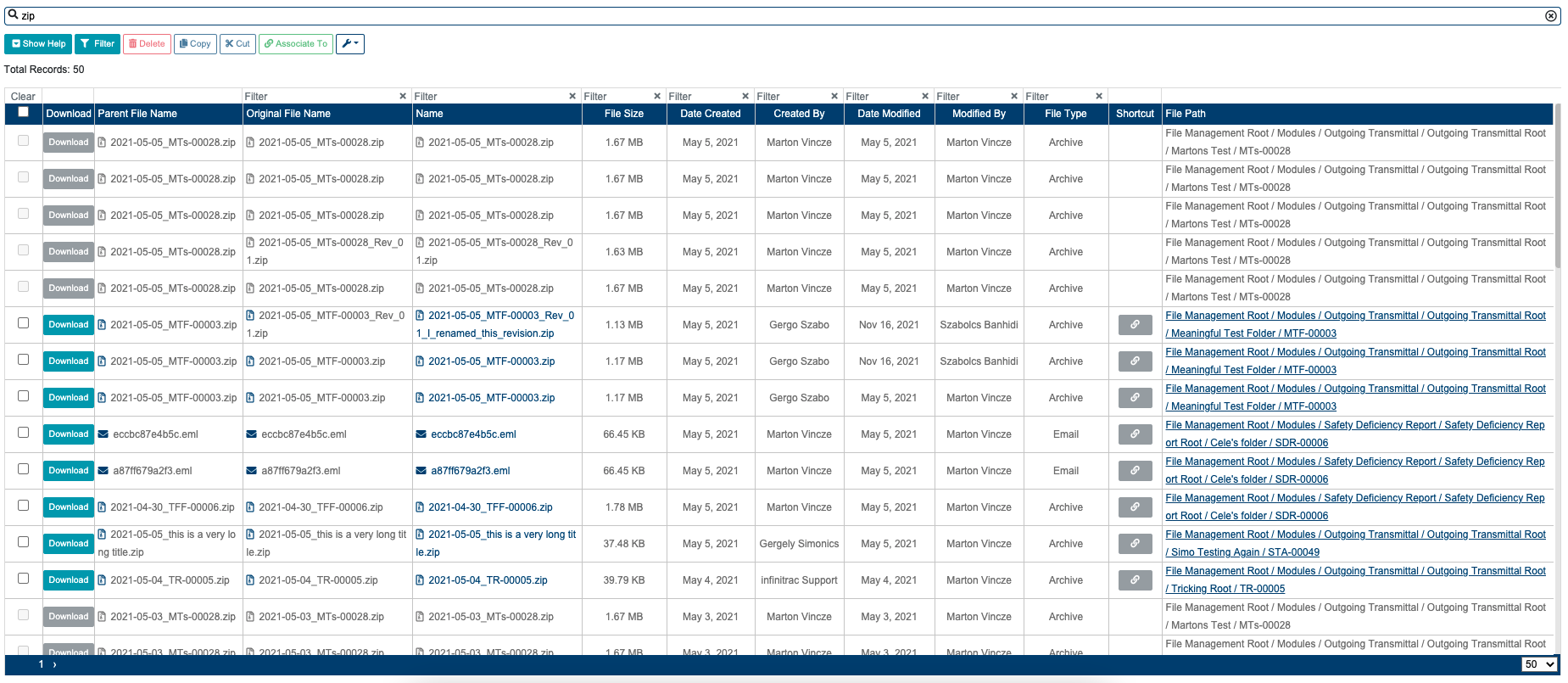
To search for any item, navigate to the Search Module via the menu on the left side. Simply type the search phrase(search criteria) into the input box at the top of the screen and press enter, or click on the search icon. (It is also possible to search by attributes, for example Name: forecast, and a lot of others.)
Search results will appear in the table under the input box. Please keep in mind that these results are File Revisions. That means if a File has multiple Revision(s) it’s possible to operate on just the selected Revision(s) or the whole Parent File to which the selected Revision(s) belongs to.
Results may contain file revisions that the user has no access to because these revisions are in a restricted folder. In this case, selecting (checkbox), downloading and links will be disabled for that File, thumbnails will not appear either.
Related articles
Related issues |
|---|