Copy of Cut Found Items
This article demonstrates how to cut found items via the Search Module.
Instructions
Cut
To cut item(s), select the ones you would like to cut and click Cut.
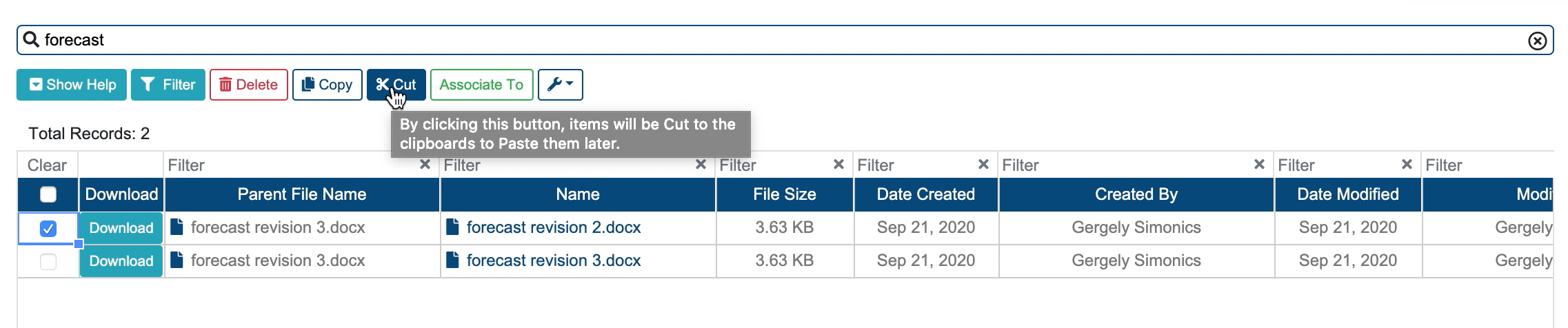
Cut Modal
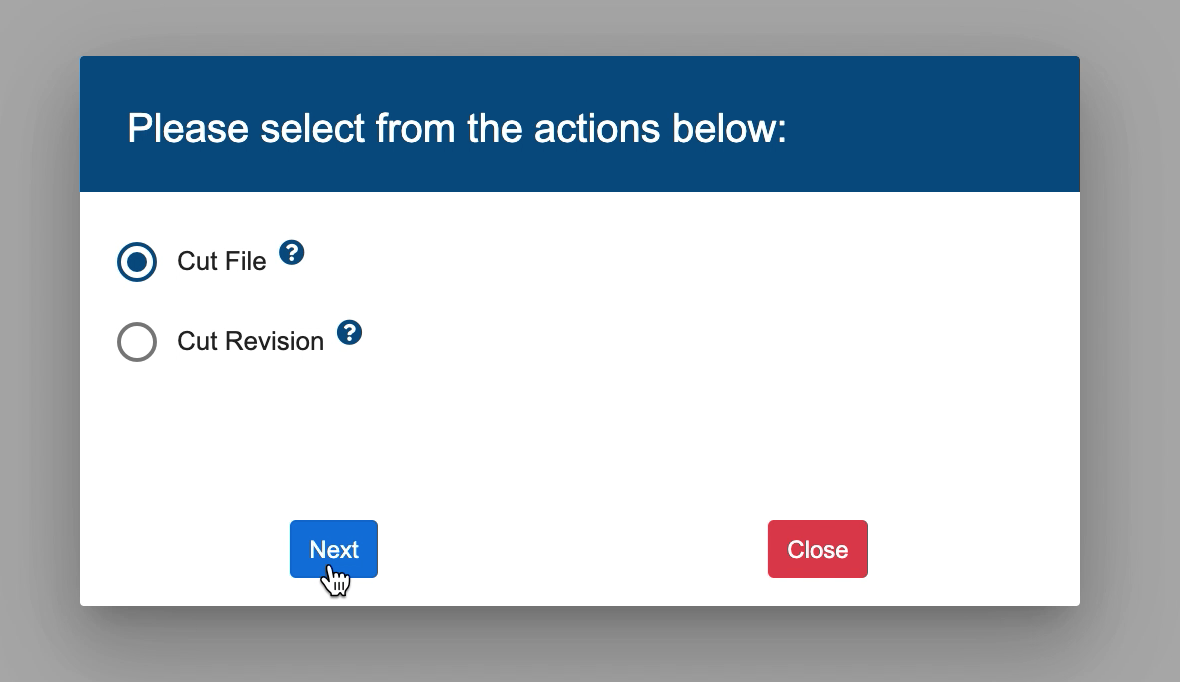
2. A modal opens up with two options
a) Cut File - this option will cut the File and All its Revisions,
b) Cut Revision - this option will be implemented in the future.
Select one of the options listed in the modal and click Next.
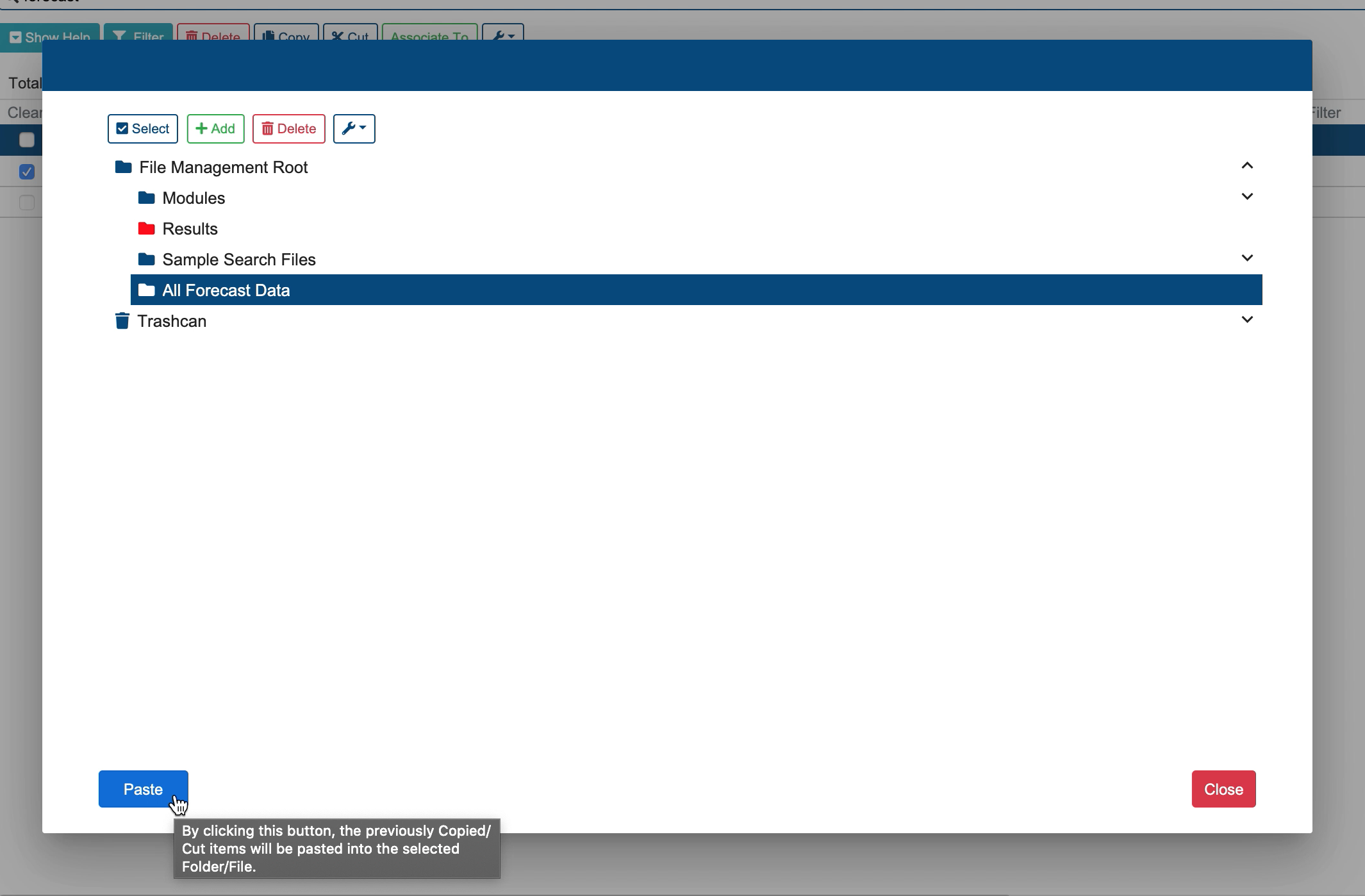
Paste Modal
3. A new modal opens up. Select the folder where the selected items would be pasted. Click Paste, thereafter.
Related articles
Related issues |
|---|