Copy of Associate Found Items
This article demonstrates how to associate search results with Safety Deficiency Reports (SDR).
Instructions
To associate search result(s), select the desired ones and click Associate To.

A modal opens up. Select the Folder with the SDR(s), then select the desired SDR(s) and click Associate.
Both single and multiple associations are supported (search result to SDR and search results to SDRs).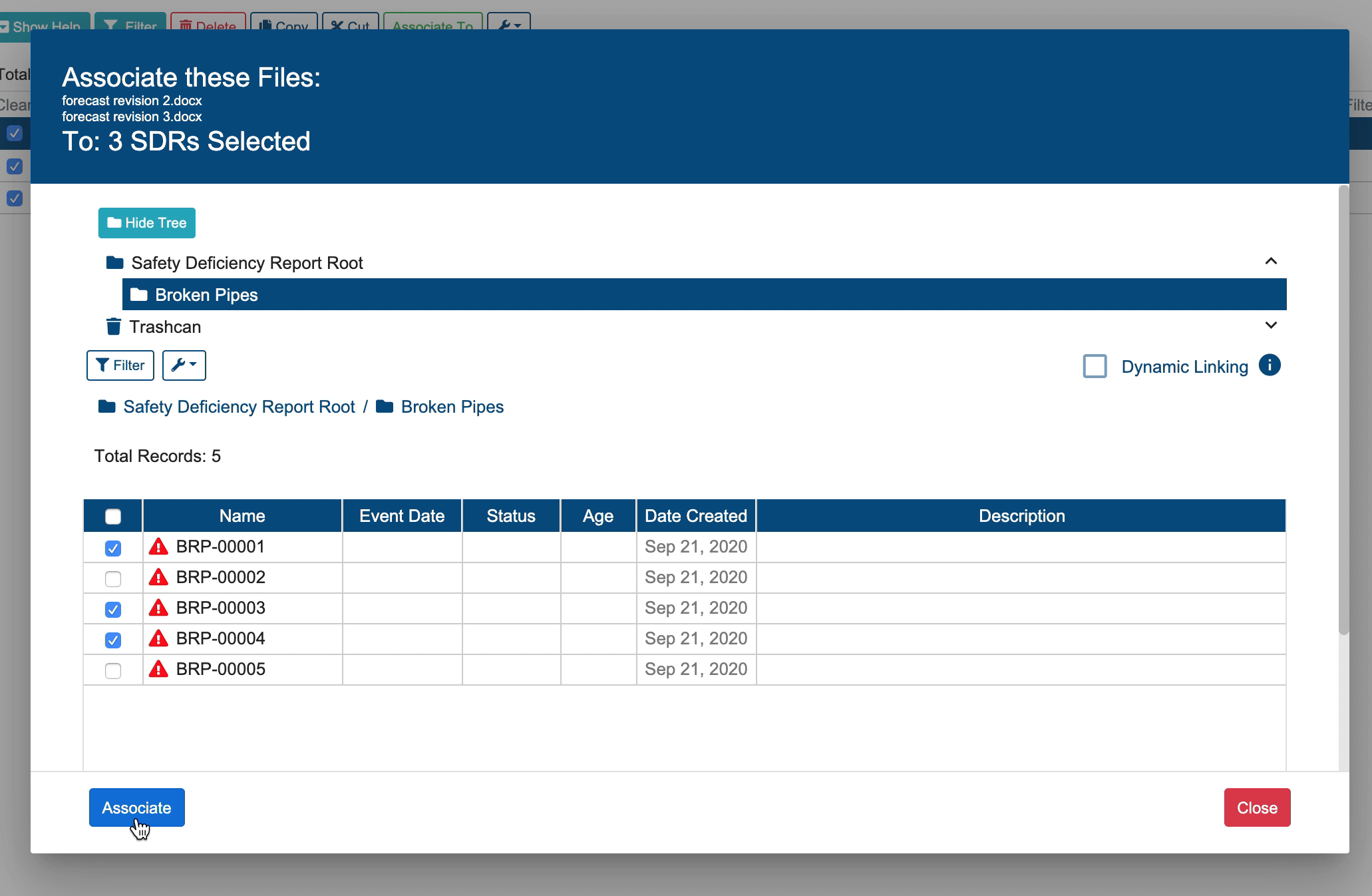
Related articles
Related issues |
|---|