Dissolving Folders
Dissolving a folder means removing the folder while keeping its existing contents. Its content will instead move to the parent folder that contained the dissolved folder.
To dissolve a folder:
Select it from the folder tree
Click “Dissolve” in the dropdown menu.
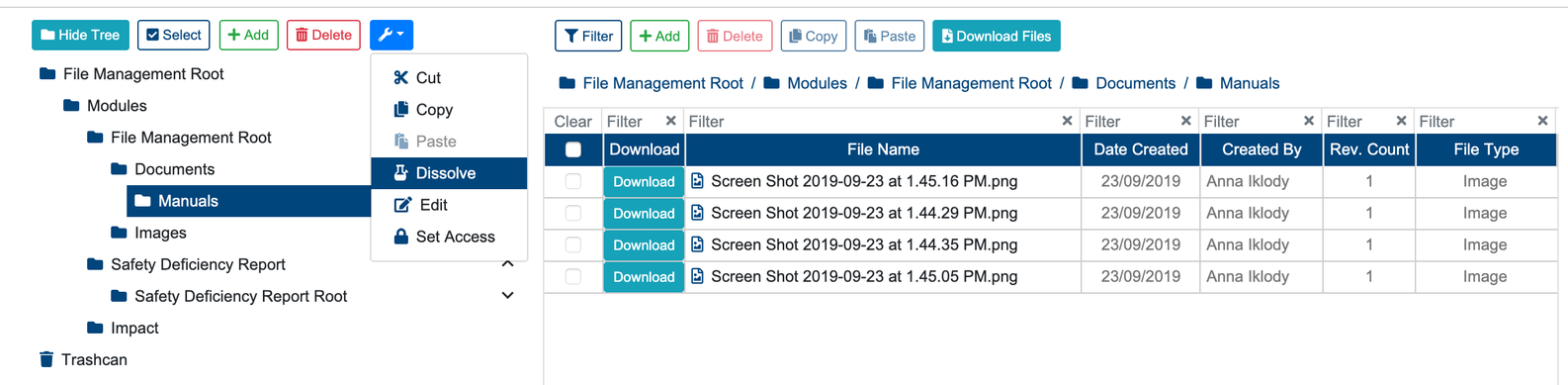
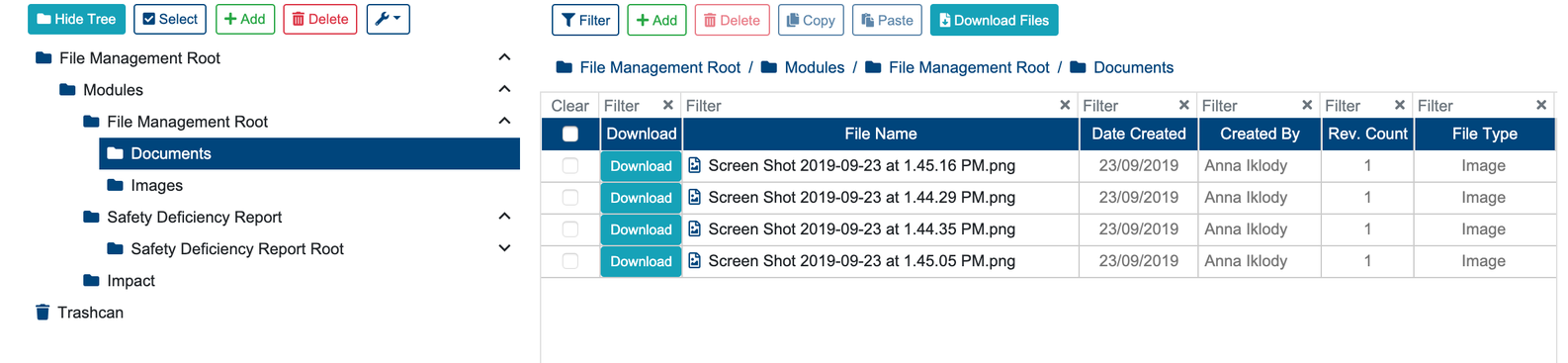
Any files from the dissolved folder will now be in the parent folder.
Once the folder is dissolved, a success alert message will appear at the top of the screen with message: “Items Dissolved Successfully“. A failed operation will display: “An Error Occurred: Fail to dissolve folder“