Restricting Folder Access
When the access to a folder is restricted, only users with the specified role assignment will be able to view it.
To restrict access to a folder:
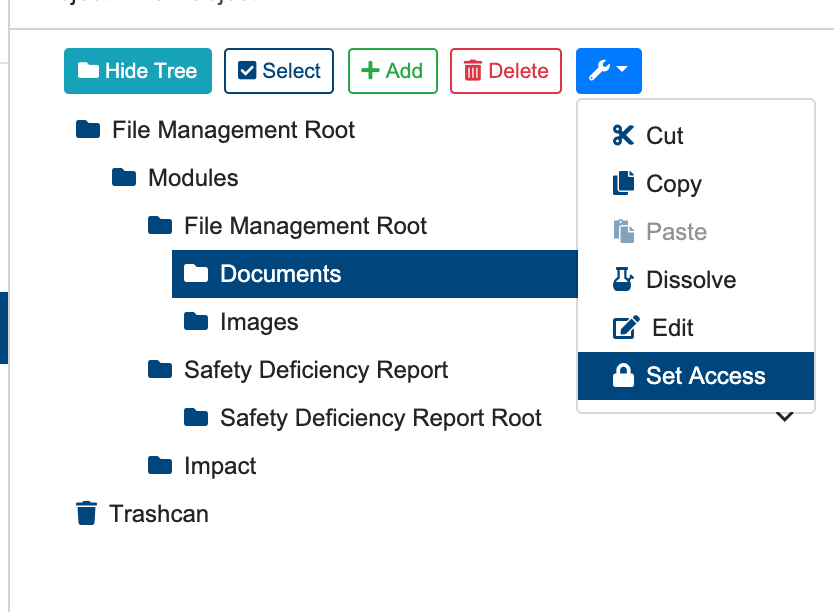
Select the folder to restrict access to, by clicking on it.
Click on “More Options“ button on the toolbar.
Click “Restrict Access” button from the dropdown menu.
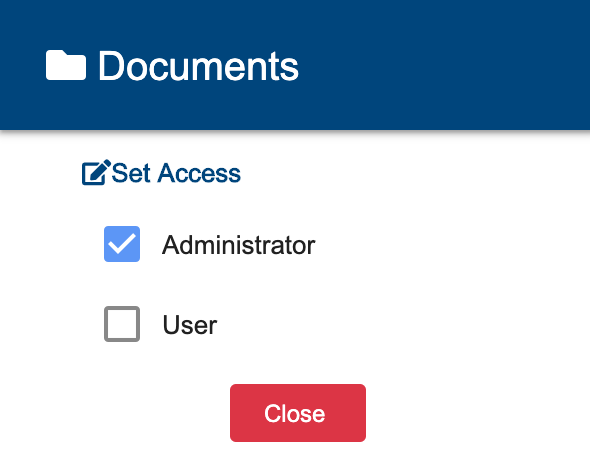
Select the relevant roles for the folder
Click ““Close“ button.
A success operation will display the next message: “The folder access has been applied successfully“. A failed operation will display: “An Error Occurred: Fail to set folder access“