Add a Revision
User can add revisions to every file already uploaded to infinitrac instance. As seen on Group Files, files uploaded to the library can turn into revision by grouping them, once grouped, user can still adding more revisions to the file.
To add a revision:
Navigate to the folder content view.
Click on the "Rev Count" button of the file to add a revision to.
Click “Add“ button.
Drop the files into the highlighted area, or click it to open a file navigator on the device. User can select multiple files to upload as revision.
Click “Upload“ button.

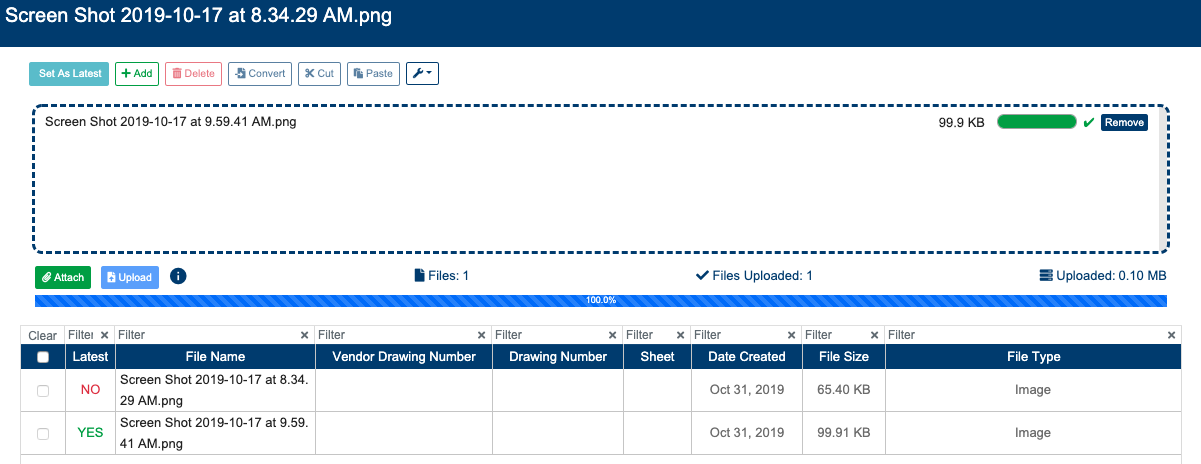
Last uploaded file will automatically become the the Latest Revision.
User can manually set the latest revision, to do so:
Select it, clicking on the checkbox next to “Latest“ column.
Click "Make Latest" button.
A success transaction will display the next message: “File successfully uploaded“. A failed one will display “Error Occurred: Failed to upload file“.
When new file revisions are uploaded, previous Latest File Revisions attribute values are carried over, automatically.