Adding a Request For Information
To add a Request For Information (RFI), user role must have an “add“ privilege enabled.

To create an RFI:
Navigate to the RFI’s “Detail View”, by clicking the “<List” button in the Folder tree toolbar.
Click on the “+” button to create a new RFI.
Fill in all required fields, which are indicated by a red border and/or red warning text (see screenshot below).
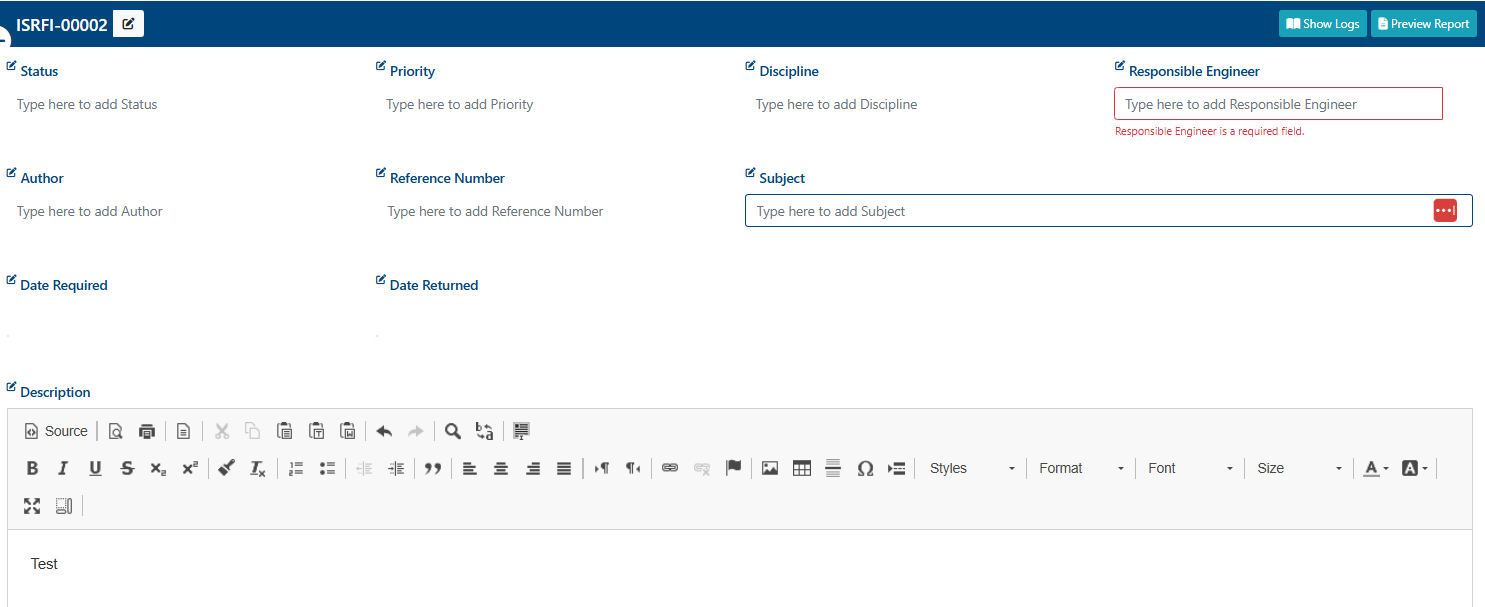
Comments, files, and recipients can also be added.
These features are detailed in the relevant subsections.
All changes to the fields of the RFI are saved automatically.
Once the RFI is created, a success alert message will appear on the top right hand corner with message:
“RFI has been created successfully!”
To return to the List View, click the “>” button. The new RFI will be added to the folder.