Delete Contact(s) from a Contact Group
Removing a Contact from the Contact Group does not delete the contact(s)/user(s)
To delete Contact(s) from a Contact Group, user role must have “delete“ privilege enabled; you can manage Contact Groups if you have the respective permissions checked in at least one project.

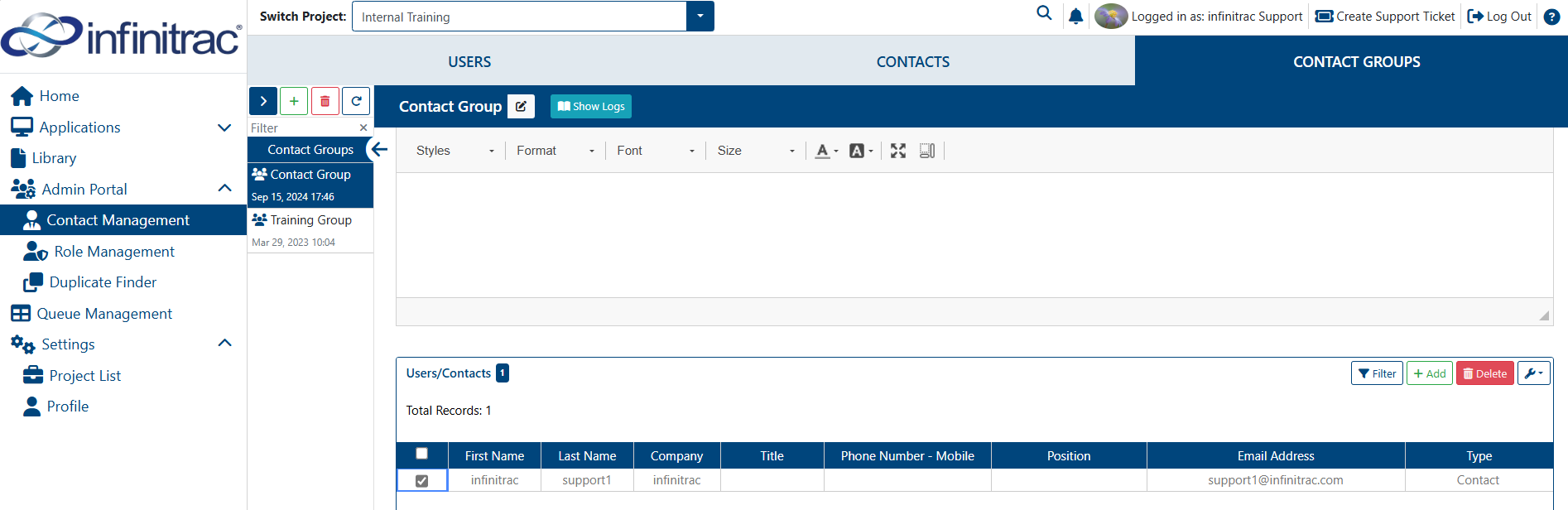
1. Navigate to the Detail View of the Group from which Contact(s) will be deleted.
Select the checkbox of the user(s) that needs deleting.
Click “delete” Button in the “Users/Contacts” Table toolbar.
For the purpose of Audit Logs it is tracked when Users are added/removed from a Contact Group