Add New Submittal
Submittals may be added by clicking the "New Submittal" icon. A new pop-up window will appear.
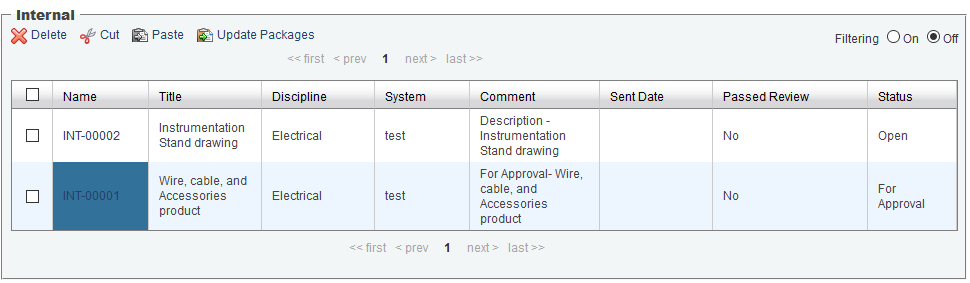
Creating a New Submittal: When doing so, you will be automatically led into the new Submittal window consisting of a series of form elements.
Edit all of the necessary fields by selecting options from drop down menus and clicking on text fields to enter new information.
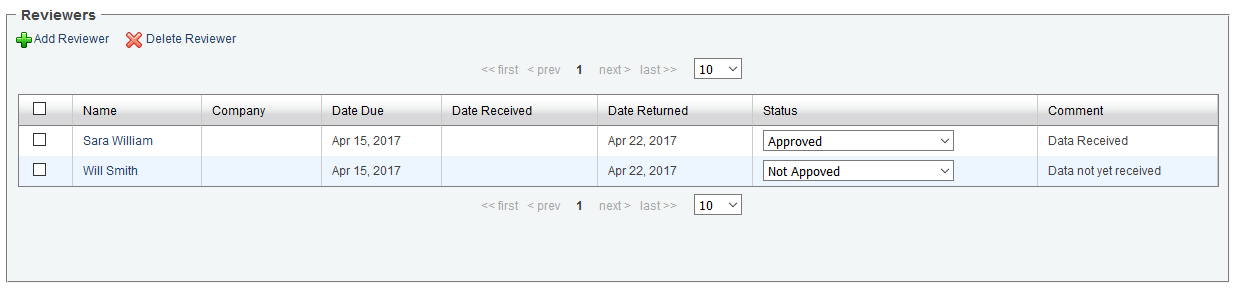
Add Reviewers: To add Reviewers to the Submittal, click the "Add Reviewer" icon to open the Contacts window. Multiple Contacts may be added to the Submittal at once, and new Contacts can be added if they are not listed.
Date Due: Enter the Date Due for each Reviewer by clicking the table cell, then select the appropriate Calendar Date.
Date Received: The Date Received is automatically populated once the Reviewer downloads the Submittal from the sent email notification.
Date Returned: Enter the Date Return for each Reviewer by clicking the table cell, then select the appropriate Calendar date.
Note: Date Due and Date Returned: After selecting the appropriate date from the calendar and clicking on "Save" button, an alert will display asking to apply selected date to all reviewers; selecting "OK" will reload the page and the same date will be set for all reviewers. If you click "Cancel", only selected reviewer dates will be changed and you will have to set each reviewers date manually.
Note: Setting Status will display an alert asking to apply selected status to all reviewers. Selecting "OK" will reload the page and the same status will be set for all reviewers. If you click "Cancel", only selected reviewer status' will be changed and you will have to set each reviewers status manually .
Add a Comment by clicking on the table cell for each Reviewer.
Add Files: There are three ways to add Files. Once Reviewers have been assigned and Files have been attached to a Submittal, the "Send Submittal" button will become available. Clicking the "Send Submittal" button will send an Email Notification to the Reviewers with selected Files, as a zipped attachment.
Add File: Allows attachment of a file from a local computer, one file at a time.
Import: Opens a new window, allowing importing of multiple files from a local computer.
Associate Files: Attach a file located within the infinitrac Library. The Vendor and Status options can be applied to all files after the first option is selected.

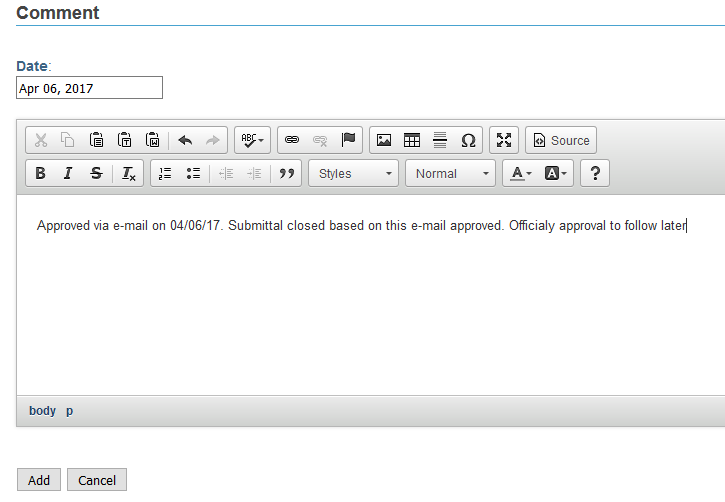
Add Comment: Add a comment to the Submittal by clicking the "Add Comment" icon and the user will be brought to a new window. Clicking the "Add" button at the bottom of the window will add the comment to the Submittal.
Response Files: Users may respond to the Submittal by attaching Response Files. The process of uploading files are the same as adding Files.


Delete: To Delete any added content from a Submittal, select the checkbox next to the item you wish to delete, then click the "Delete" icon.
WARNING! Once deleted, there is no Undoing that action.
Send Submittal: Click on "Send Submittal" button. Once the Submittal is sent, it will become "Read-Only" and unable to be edited.
Once a Submittal has been sent, it becomes "Read-Only" and uneditable.
The "Date Recieved" will automatically be populated after reviewer read and downloaded the package from their email.
The "Date Return" and "Comment" are the only values that are still editable in a "Read-Only" Submittal.
Users will have four new options when they open a "Read-Only" Submittal. These options may vary based on Instance customization:
Download Report: Generates the most recent PDF Report of the Submittal.
Download Package: Downloading a zipped file consists of Submittal files and a Submittal PDF report.
Resend: Update package and report. Send email to recipients.
Update: Only update package and report.

Submittal files can be downloaded from the file library under "File Management". In Project->Modules > Submittal Management -> Submittal Root-> Submittal Folder, Submittal Folder will have the file Submittal .zip package.
Inside Submittal Root, each folder contains Submittal files
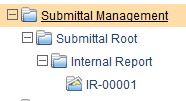
You can see the file details by clicking on the file name.
