How to Edit a User
Editing a user in infinitrac is a quick and easy process.
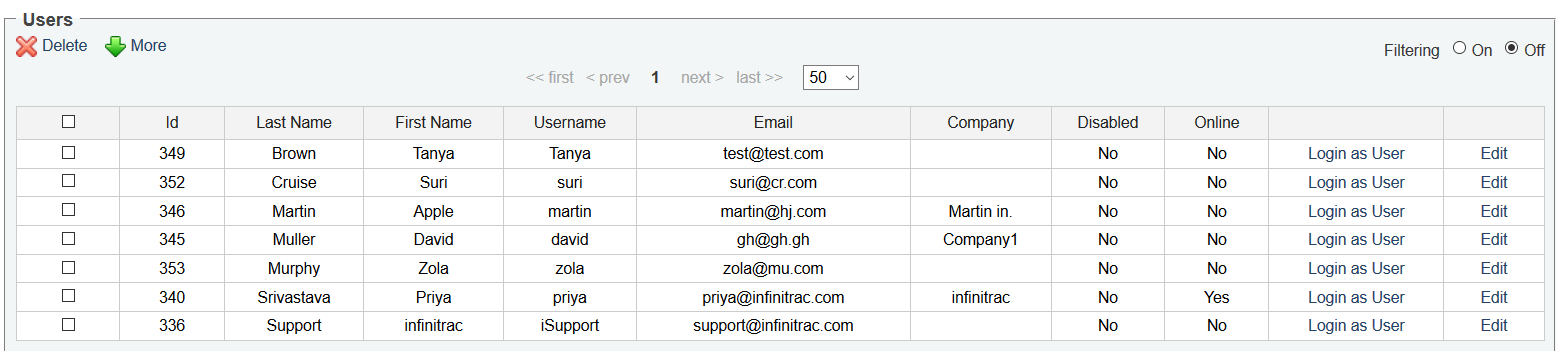
Figure 1. User List page
As user information changes, you can keep up-to-date by editing your user information.
When viewing the user list (Figure 1), the right most column is to edit user.
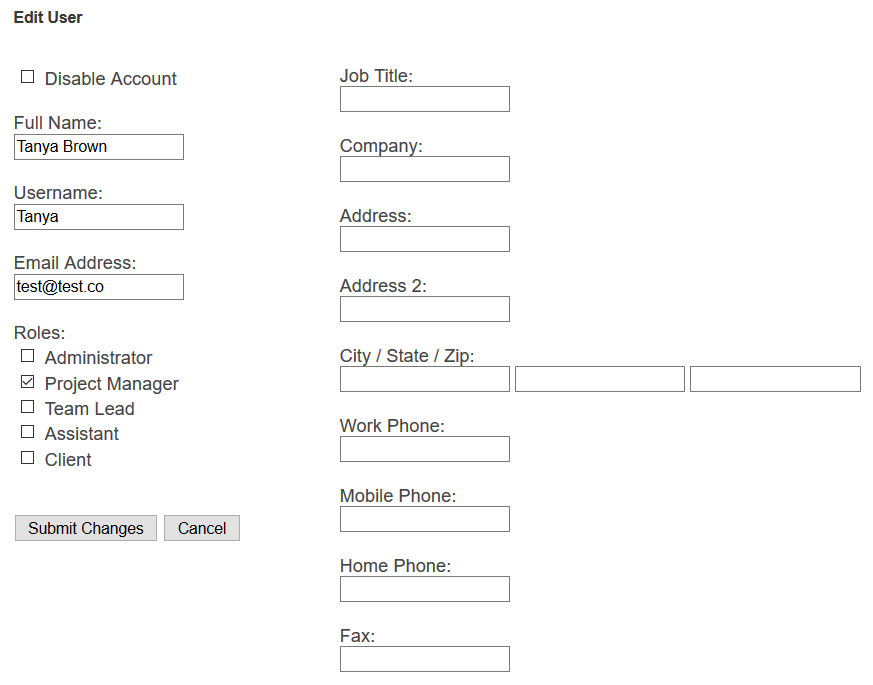
Figure 2. Edit User page
Upon selecting "Edit," you will be taken to the Edit User window (Figure 2).
You can edit any user information in the Edit User window.
Username should not match with existing users username. Also, Email need not to be matched with existing users and contact users emails.
Email should not match with existing users and contacts emails.
When you are complete with your edits, click "Submit Changes" to save all changes.
A success message will display at the top of the screen and you will be returned to the User list.