Sticky Pad Basics
This document guides the user how to create and manage Sticky Notes
How to add a Sticky Note
To add a Sticky Note to your project, select Community > My Sticky Pad from the infinitrac menu. Browser will open the Sticky Pad view (Figure 1)
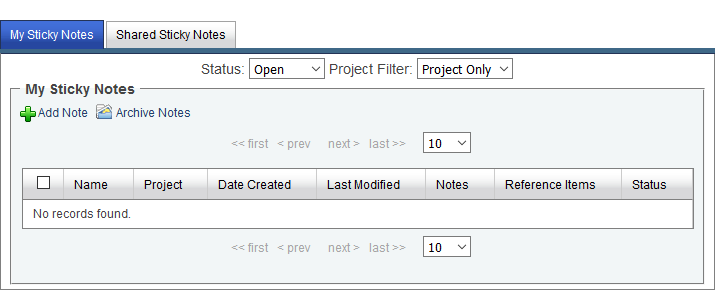
Figure 1. Sticky Pad View
Click the Add Note icon. Browser will open the Sticky Note window (Figure 2).
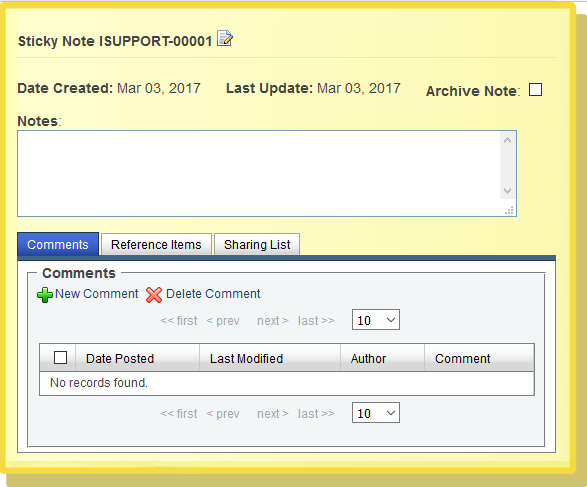
Figure 2. The Sticky Note Window
To add text to the Sticky Note, simply type it into the Sticky Note window’s Notes field.
How to review your Sticky Notes
The Sticky Pad view (Figure 1) lists all of the Sticky Notes available to you. The My Sticky Notes tab lists Sticky Notes you created; the Shared Sticky Notes tab lists the ones that other users have shared with you.
The Sticky Pad view displays the following attributes for each Sticky Note:
Name: A unique name, composed of your name (or the name of another user. who created this Sticky Note) and a serial number.
Project: The name of the project that the Sticky Note belongs to.
Date Created: The date that the Sticky Note was created. infinitrac sets this attribute when the Sticky Note is created, and you cannot change it.
Last Update: The date when any attribute of the Sticky Note was last changed or updated. This value is automatically set when the Sticky Note is updated, and you cannot change it.
Notes: Identification of any infinitrac Library objects referenced by this Sticky Note.
Status:
You can control which Sticky Notes are displayed with the Status dropdown. The choices are Open, Archived, and All. You can also set the Project Filter to display Sticky Notes associated with the current project or with all projects.
Viewing and editing a Sticky Note
To display detailed information about a Sticky Note, go to the Sticky Pad view (Figure1) and click the Sticky Note’s name. infinitrac opens a new Sticky Note window (Figure 3) which displays the Sticky Note’s contents.
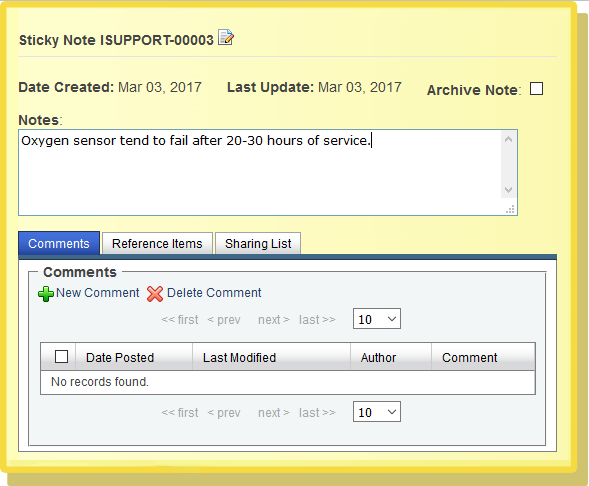
Figure 3. Displaying the contents of a Stick Note
The Sticky Note window shows the following attributes of the Sticky Note:
Date Created(as in the Sticky Pad view).
Last Update (same as Last Modified in the Sticky Pad view).
Notes:Full text of the Sticky Note.
Comments tab: A list of comments attached to this Sticky Note. Comments are discussed in section 6, “Sticky Note comments.”
Reference Items tab: A list of references associated with this Sticky Note. References are discussed in section 7, “Sticky Note references.”
Sharing Listtab: A list of other people with whom you are sharing this Sticky Note. The Sharing List is discussed in 'Sharing sticky notes, and using shared notes' section, “How to manage a Sticky Note’s Sharing List.”
Notes: The text of the Sticky Note.
A shortcut: To open the Sticky Note you created most recently, click the My Note icon in the upper right corner of any infinitrac page (Figure 4).
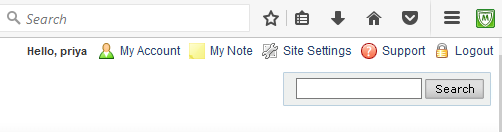
Figure 4. The My Note icon is in the upper right corner of each infinitrac page.