File information and revisions
How to learn more information about the specific file you are looking at.
Clicking on a file name will launch the window below.
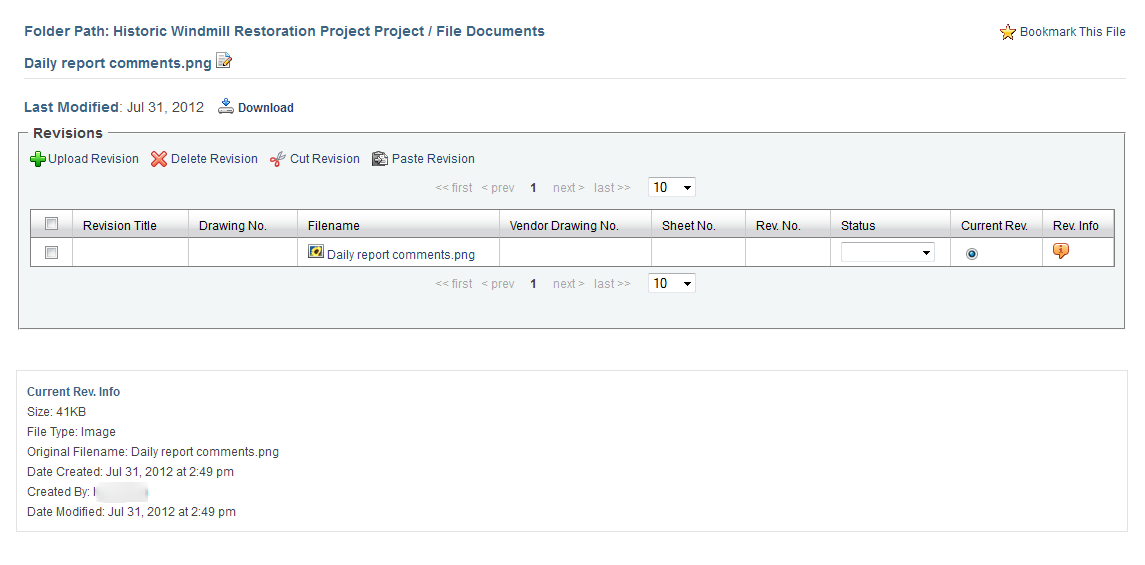
Figure 1. File Detail View
All file revisions and revision attributes are displayed in the new window. You may click on the following attributes of any revision to make an entry.
Revision Title
Drawing No.
Vendor Drawing No.
Date Documented
Sheet No.
Revision No.
A new revision may be uploaded from the user's local computer by clicking the "Upload Revision" icon. Only one revision may be uploaded at a time. To view detailed information about a specific File Revision, click the "Information" icon under the "Rev. Info" column.
Further details include:
Revision Title, Original Filename, File Location, Size, File Type, Date Created, Created By, Last Modified, Revision Number, Latest Revision, Status, Drawing Number, Vendor Drawing Number, Sheet Number.
If the File has been applied to other infinitrac Modules, it will be listed in the "Links to Other Modules" section.
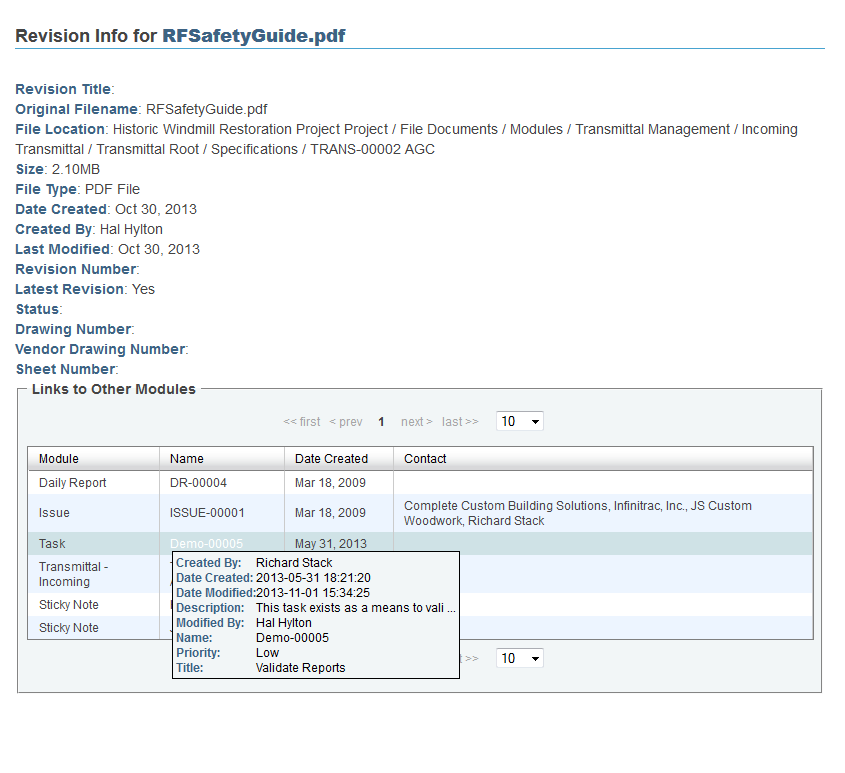
Figure 2. File Revision Info View
Editing Revisions:
Delete Revision: Delete revisions by selecting the desired checkbox next to the file then clicking the red "X" icon.
Current Revisions cannot be deleted.
WARNING! If a Revision is deleted, it cannot be restored.
Cut Revision: Cut revisions (except the Current Revision) by selecting the desired checkbox next to the file then click the "Scissors" icon.
Paste Revision: Paste revisions by selecting the desired checkbox next to the file then click the "Clipboard" icon. Revisions can be pasted into other files or Pasted into the Library as a new file.
You may change the status of revisions by clicking the drop down menu under "Status" and select: Closed, Open, Pending, or you may add a new option.
The revision checked as the "Current Rev" will be the file that is launched when the file name is clicked in the File Content view.
You may download the current revision by clicking the "Download" icon on the upper right corner.
Additional information about the "Current Revision" is displayed at the bottom of the window under "Current Revision Info."