Reply by email feature
Comment notifications:
When a user adds a comment, the recipient will only receive an email notification if the checkbox “Send Email Notice to Contacts” is selected.
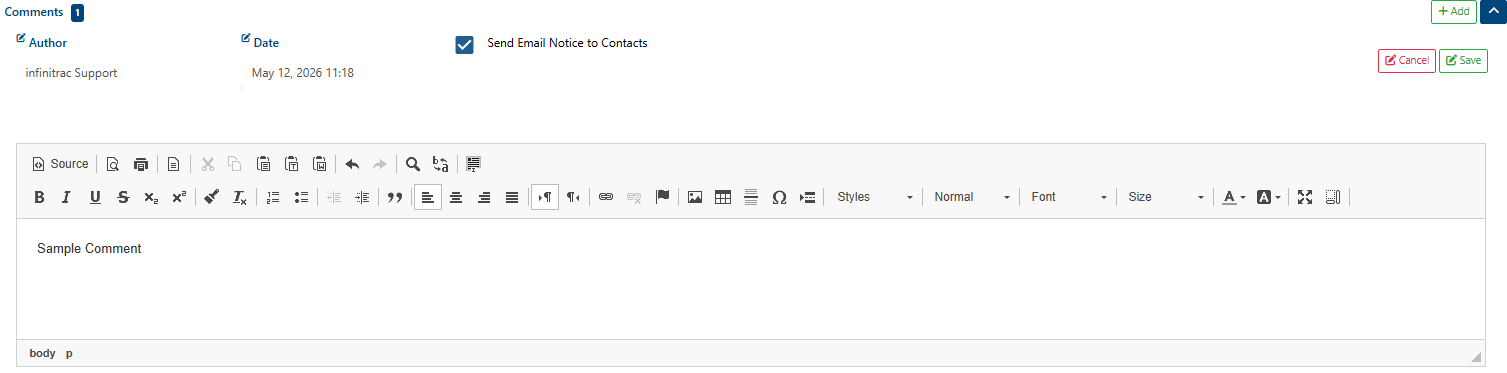
When a user posts a comment, recipients receive an email notification.

The sender does not receive their own notification (to avoid duplicates).
Each recipient’s email includes a unique key in the subject line. This key links the reply back to the correct comment and identifies the recipient as the “creator” of the response.
Replying to notifications:
Using Reply All ensures the response is captured in the Module Report.
Attached images are stored as Response Images.
Replies appear in the module application as Response Files or Response Images, associated with the original recipient.


Forwarding:
If a notification email is forwarded to a third party, and they reply, the response is still linked to the BPO but marked as “Created By” the original recipient.
Operations
Admins may choose to copy text from incoming emails into the description of the response file for clarity.
Users should expect a 5 minute delay between sending a reply and seeing it reflected in the Module Report
Email polling runs every 2-3 minutes.
Processing takes an additional 1–2 minutes to:
Parse and clean the email.
Extract images/documents.
Generate thumbnails.
Add the comment/response into the system.
Reindex the BPO and notify recipients.
MS Outlook emails require an extra conversion step (
.msg-.eml), which adds time.