3.2.2 Gallery View
Gallery View allows users to view the files thumbnail and preview the content without opening the file.
Selecting the Gallery View can offer the following functionality:
- Selecting Single/Multiple files by clicking anywhere on the thumbnail (Figure 1.)
Selecting one file, and then holding the shift key while clicking the last file in a desired range, will select/de-select the whole range.
- Show a preview of the file (if available) by hovering the mouse over the thumbnail (Figure 2.)
- Editing a file, this can be done by hovering the mouse over the preview (Figure 2.) to open a list of file attributes; the following can be edited and are saved automatically when the mouse is moved away from the preview (Figure 3.)
The same can be done for multiple files by selecting said files and clicking on the Edit Button
- Alternatively you can select Gallery View by right-clicking a folder and changing the display options (Figure 4.)

Figure 1. Gallery View (selected files)

Figure 2. File preview
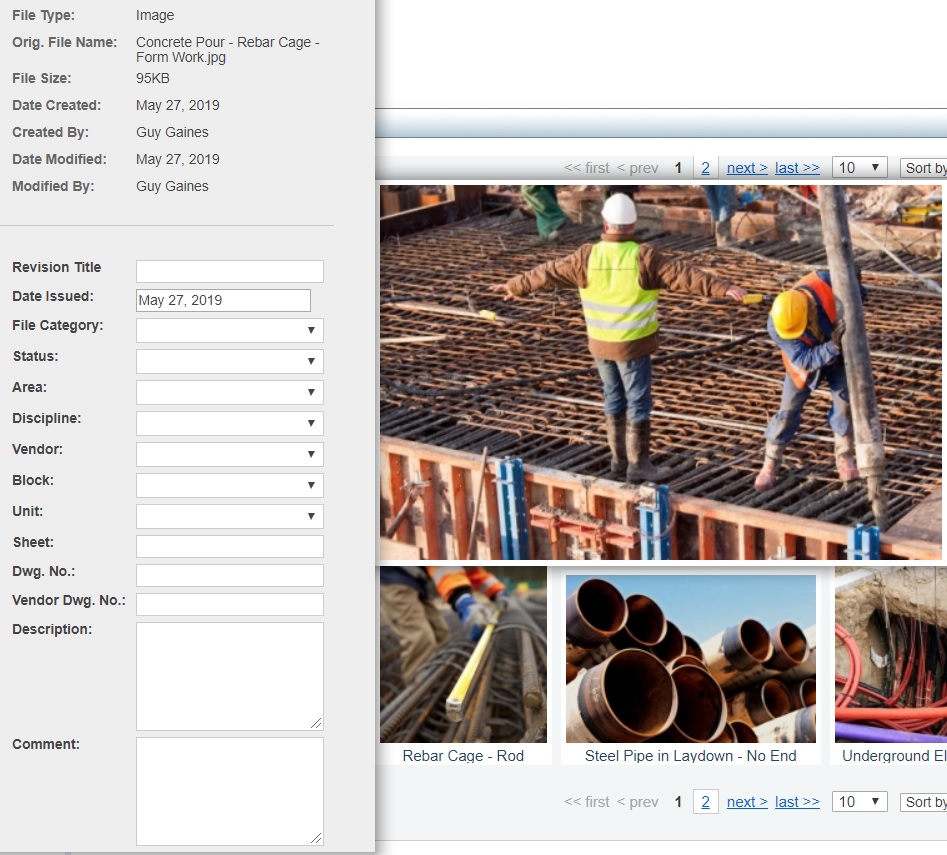
Figure 3. Editing file
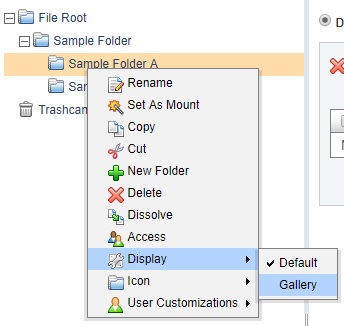
Figure 4. Gallery view selection, alternative method