2.4 Customize a folder
- Right click on the folder
- Click on User Customizations
- Here you will see the following options:
- Icon which allows users to change the displayed color in the folder browser (Figure 1.)
- Add to Favorites allows the user to later view the folder when selecting Switch to: Favorites (Figure 1. Blue pointer)
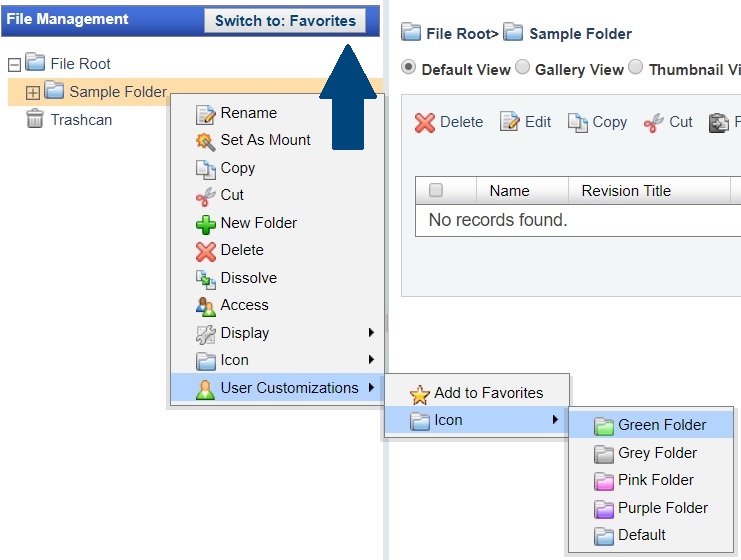
Figure 1. Folder customization options
These customizations are only reflected for the current user, contrary to the rest of options which are reflected on a project basis