2.3 Dissolve a folder
Dissolving a folder will delete the selected folder without deleting its content, moving the content into its parent folder, to do so:
- Right click on the folder
- Click Dissolve (Figure 1.)
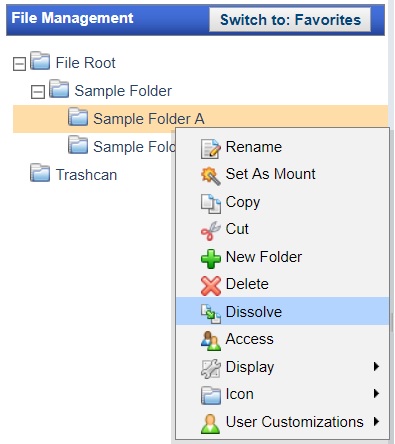
Figure 1. Folder editing options
Dissolving a folder will delete the selected folder without deleting its content, moving the content into its parent folder, to do so:
Figure 1. Folder editing options