Editing Folders
To edit a folder, user role must have an “edit“ privilege enabled.
To edit a folder:
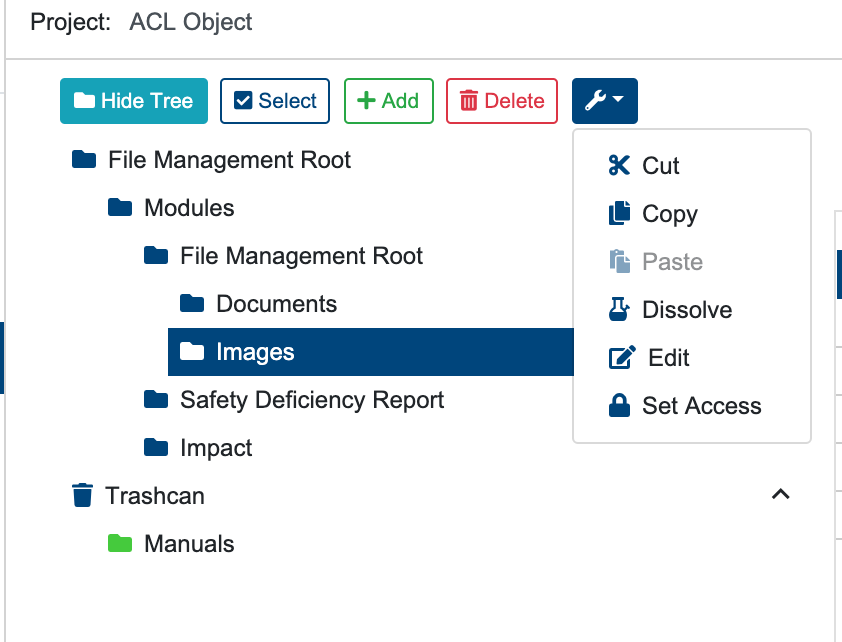
Select the folder to be edited
Select the options dropdown menu
Click “Edit” button.
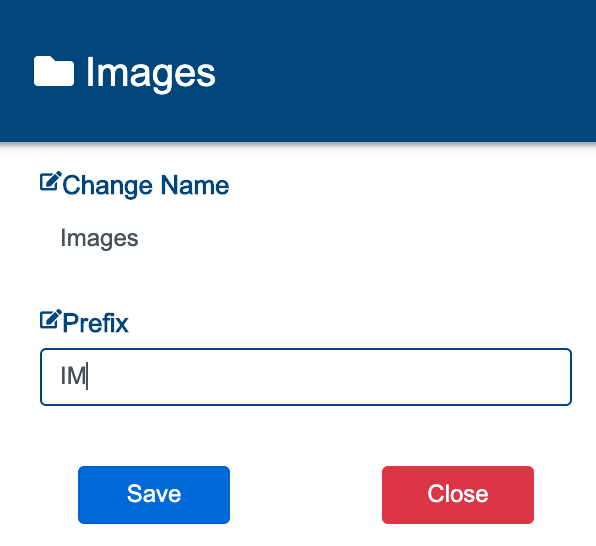
Change the name and/or prefix of the folder.
Select “Save” button to update folder details, or “Close” button to discard changes.
Editing a folder will not change its existing contents.
Once the folder has been updated, a success alert message will appear at the top right hand corner with a message: “Folder updated successfully“. A failed operation will display message “Error Occurred: Failed to edit [Folder Name]”.