Recovering Deleted Folders and Files
Files/folders that have been deleted are moved to the trashcan, where they can be recovered from. To perform this action, user must have a trashcan privilege enabled.
Recover Trashcan Items
To recover one or more item(s):
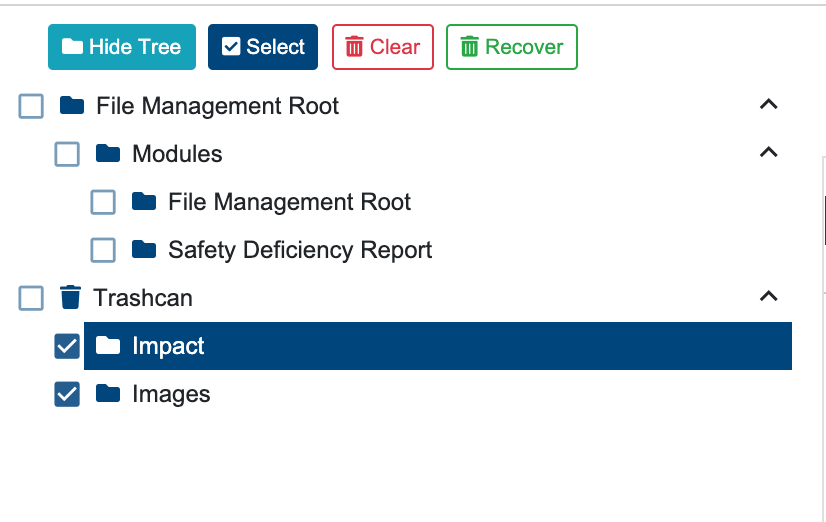
Select the Trashcan at the bottom of the folder tree displayed at the left hand side.
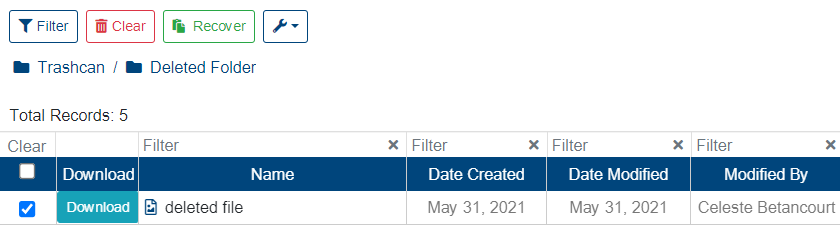
Select the item(s) to recover.
Click “Recover” button.
“Recover” button is disabled until one or more item(s) is selected.
The selected item(s) will be recovered to the original destination. A success alert message will be displayed on the top right hand corner with message: “Item(s) restored”. A failed operation will display message “Error Occurred: Failed to restore items from trashcan”.