Adding Folders
To add a folder user role must have an “add“ privilege enabled.
To add a new folder:
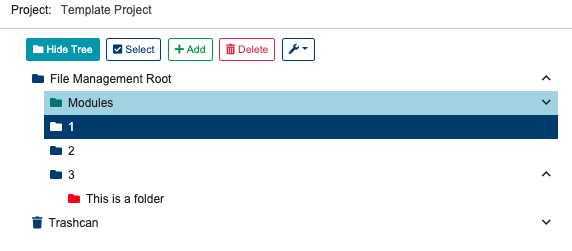
Select the File Management view.
Select a folder from the folder tree.
Click “Add” button.
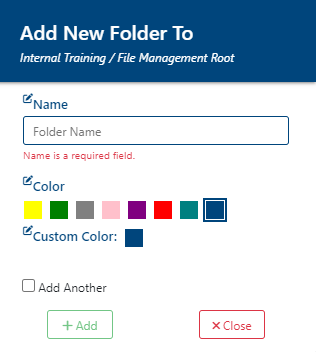
Enter the name for the new folder, and the folder prefix.
Click “Add” button again to finish folder creation, or “Close” to cancel.
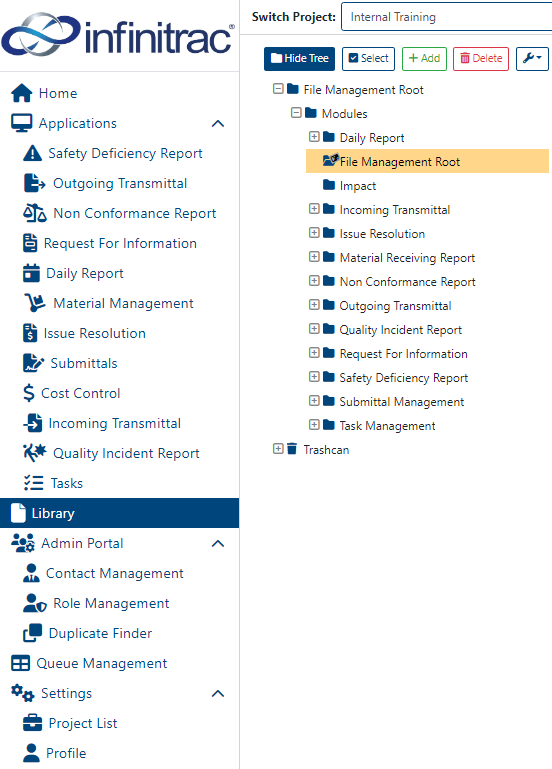
The newly created folder will be a subfolder of the one selected.
A color can be set, from the preset options for the folder icon, or a custom color can be chosen from the pop-up color wheel by clicking on “Custom Color”.
A new folder will be auto-generated, and be displayed at the folder tree. A success alert message will be displayed at the top right hand corner with message: “Folder [Folder Name] has been created successfully”. A failed operation will display message “Error Occurred: Failed to create [Folder Name]”.