Daily Report Detail View
Daily Report Detail View is used to manage a single Daily Report data/content. Detail View displays all of the Daily Report attributes and associations such as:
Daily Report Content - Files table
Daily Report Recipients - Recipients table
Daily Report Comments - Comments Table to collect Recipient's feedback
Daily Report Weather Data - Files containing historical weather information and provide environmental context.
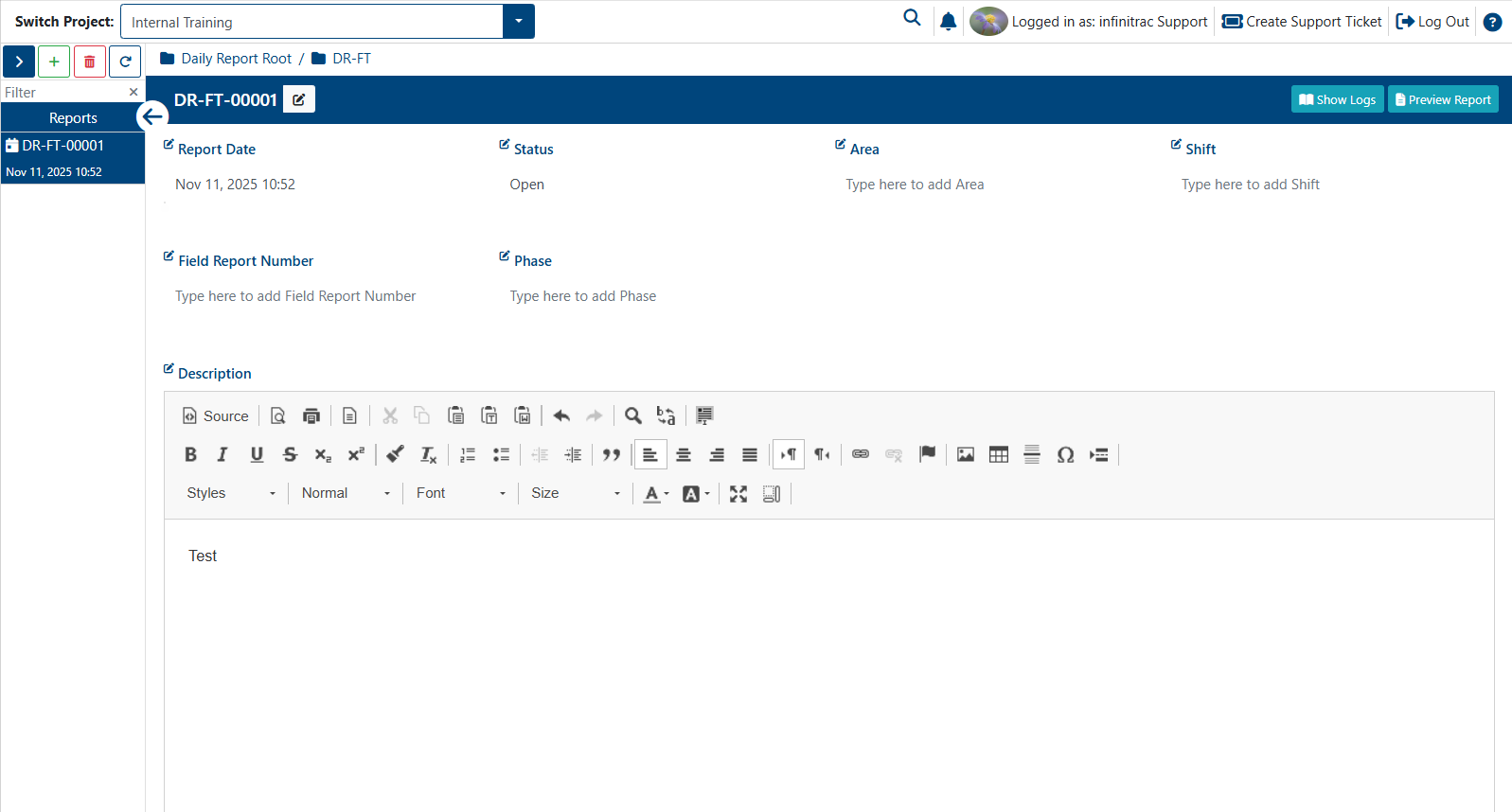
Daily Report Detail View Actions
- Adding Daily Report(s)
- Daily Report Activities
- Daily Report Comments
- Daily Report Files
- Daily Report Logs
- Daily Report Recipients
- Deleting a Daily Report(s)
- Editing Daily Report(s)
- Generate Package and Email of Daily Report
- Generate Package of Daily Report
- Preview and Download a Daily Report(s)
- Reopen a Daily Report
- Weather Data (Daily Report)
By default, the Recipients, Comments, and Files tables are minimized.
Clicking the down arrow button will expand the respective section.
Each table title displays the number of items it contains. Tables with zero items do not show a count.
Recipients Table
The Recipients table is used to manage the contacts to whom Daily Report(s) are sent.
Users must have Contact Management permissions enabled in order to manage Daily Report contacts.
Each Daily Report Recipients will receive a separate email notification containing a tracking code and a download link to the DR content.
To send out a DR, at least one reviewer must be added to the Recipients table.
If no reviewers are present, the table border will appear in red to indicate that this is a required field
Comments Table
The Comments table is used to manage Daily Report correspondence received from recipients or the sender.
Comment replies are nested one level beneath each original comment.
Users must have the Daily Report - Edit permission enabled to edit comments, and Daily Report(s) - Delete permission to delete them.
Files Table
The Files table is used to manage the content of a Daily Report package.
Files uploaded or associated with the Daily Report will be packaged into a ZIP archive, which also includes a PDF Daily Report.
Users must have the Daily Report(s) - Edit permission enabled to modify file metadata, and Submittals - Delete to remove files from the Submittal.
To import files into a Submittal, the Daily Report(s) - Import permission must be enabled
To send out a DR at least one file must be added to the Files table.
If no items are present, the table border will appear in red to indicate that this is a required field
In this section
- Adding Daily Report(s)
- Daily Report Activities
- Daily Report Comments
- Daily Report Files
- Daily Report Logs
- Daily Report Recipients
- Deleting a Daily Report(s)
- Editing Daily Report(s)
- Generate Package and Email of Daily Report
- Generate Package of Daily Report
- Preview and Download a Daily Report(s)
- Reopen a Daily Report
- Weather Data (Daily Report)