Generate and Email Issue Resolution Package
To perform the actions mentioned in this article, user must have the appropriate roles enabled in the Issue role section.
To generate a package for an Issue Report:
Select an opened Issue.
Click on the “< Detail” button in the folder tree toolbar, this will open the Detail View of the selected Issue.
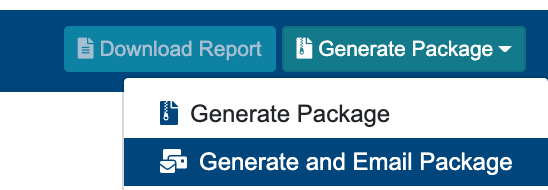
Click on “Generate Package” button in the upper right-hand corner.
On Success, a green message will appear at the top right hand corner with message: “Issue Notification was sent successfully”.
The Issue will be locked, and a package will be generated containing every information given to the Issue (Files, Comments, Description, etc.). An email will be sent to all recipients given in the recipients table.
When given recipients are opening the email or downloading the package , the recipients table will display the timestamp of these occurrences.
The generated package, and email will be associated with the Issue in the Files Management Module as well.
The Generated package can be found by
Opening up the Files Table in the Issue, and clicking on the link, in column “File Path”, this will then open up the File Management module, in the appropriate location.
Manually Navigating to the Files Management Module, then Modules → Issue Resolution → Issue Resolution Root → And then going down the path where the Issue is placed.
The Generated Package will have a unique appendix appended to it (e.g. _Rev_01) in case, if there were multiple packages generated for the same Issue.
The Email will be also saved to the same location, when Subject field is given in the Issue, the Email file will be saved with the Subject given as it’s name. Otherwise the email will be named with an unique randomly generated name.
Note That the generation of the Package and Email might take longer time, depending on the size of the files associated etc.
On failure, a message will appear in the top right hand corner, with a message: “Error Occurred: Issue Notification was not sent”.
"Generate and Email Package" button becomes available when all required fields are filled out (Description, Recipients, Files).
.