Issue Resolution Detail View
Issue Resolution Detail View is used to manage a single Issues data/content. Detail View displays all of the Issues attributes and associations such as:
Issue Content - Files table
Issue Recipients - Recipients table
Issued Comments - Comments Table to collect recipient's feedback
Issue Impacts - Impacts Table where users log impacts generated from the issue
Response Files - Files attached to aid the resolution of the issue
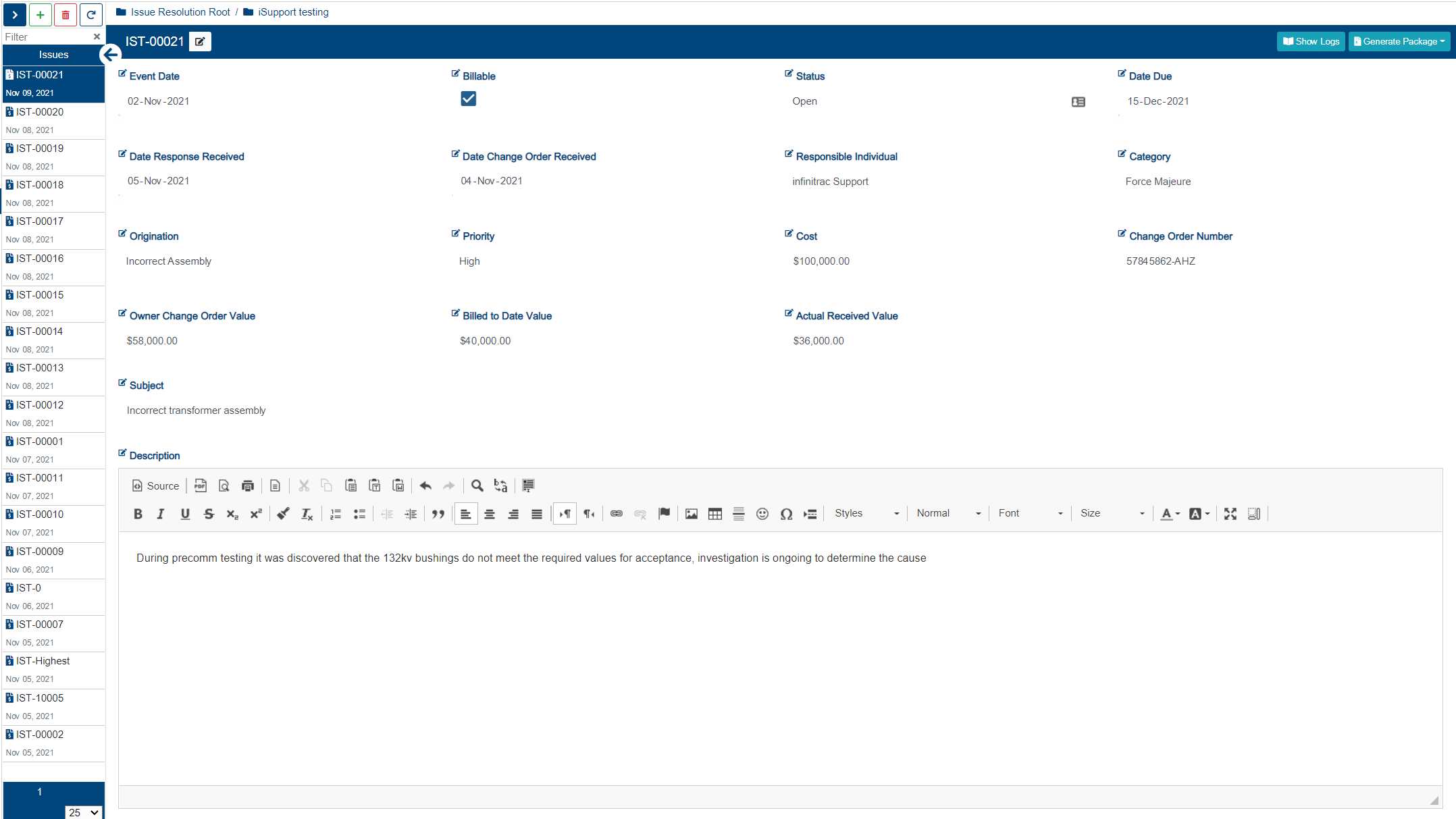
Issue Resolution Detail View Actions
- Adding an Issue(s)
- Deleting an Issue(s)
- Downloading an Issue(s)
- Editing an Issue(s)
- Generate and Email Issue Resolution Package
- Issue Resolution Comments
- Issue Resolution Files
- Issue Resolution Generate Package
- Issue Resolution Impacts
- Issue Resolution Logs
- Issue Resolution Recipients
- Reopen an Issue

By default Recipients, Comments, and Files tables are minimized. Pressing a down arrow button, will expand the respective section. Each table title states how many items are in respective titles. Tables with 0 items, do not display a count.
Recipients Table
Recipients Table is used to manage contacts to which Issues are sent to. User must have Contact Management permissions enabled in order to manage Issue contacts. Each Issue recipient will receive a separate Issue Resolution email notification with a tracking code and an Issue content download link.
Comments Table
Comments Table is used to manage Issue correspondence, received from Issue recipients or a sender. Comment replies are nested one level per each comment post. User must have Issue Edit permission enabled in order to edit Issue comments, and Issue -Delete to delete.
Files Table
Files table is used to manage Issue package content. Files uploaded or associated to the Issue will be packaged as a Zip archive. Archive, also, includes a PDF Issue report. User must have Issue - Edit permission enabled in order to edit Issue files meta data, and Issue - Delete to remove files from Issues. Issue - import permission must be enabled in order to allow file import into an Issue.
To send out an Issue, there must be at least 1 file added to the files table. If there are no items present, table border color is red to symbolize a requirement.
Response Files
Response Files Files table is used to collect Issue correspondence and actual response from involved actors. Uploaded or associated to the Issue will be packaged as a Zip archive. Archive, also, includes a PDF Issue report. User must have Issue - Edit permission enabled in order to edit Issue files meta data, and Issue - Delete to remove files from Issues. Issue - import permission must be enabled in order to allow file import into an Issue.
Impacts Table
Impacts Table is used to manage the associated Impacts with a Issue. User must have Issue - Edit role enabled in order to edit the report - Add role enabled to create new impacts - Delete role enabled to remove already create impacts. Impacts description field is editable.