Issue Resolution Impacts
Adding Impacts
To add an impact on an Issue:
Navigate to the “Impacts” section in an Issue’s Detail View
Click on the “+” button.
An impact will be generated.
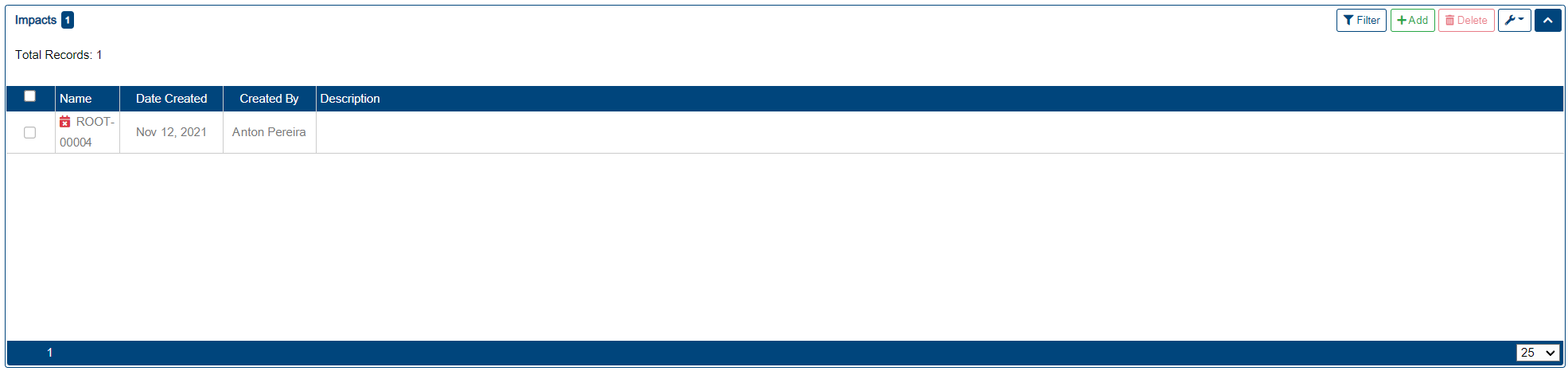
User can click into the Description field to add one. This field is saved automatically.
Editing Impacts
To edit an existing impact:
Click into the Description field.
Edit the cell’s value.
Click away from the description field to update the value, or press ENTER on a keyboard.

Changes are saved automatically, and can’t be reverted to the original description content once start editing.
Deleting Impacts
To delete an impact:
Select the impact(s) to delete, by clicking on the checkbox next to one or more impacts.
Click on the “Delete” button in the impacts toolbar.
Note: Deletion of impacts is permanent, the impacts can not be recovered once deleted.