Search Results
After submitting a Search, the following Search Results will be presented.
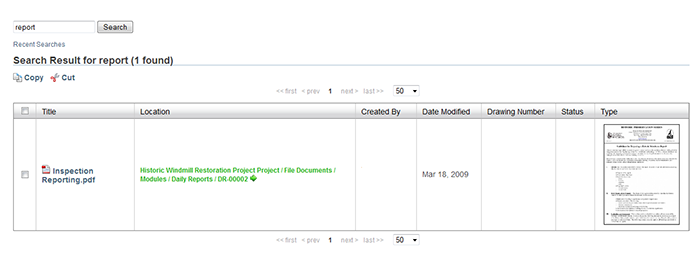
Figure 1. Search Results Window
The word(s) that was searched for will appear highlighted in blue.
The green arrow next to each location will navigate the user to that file's detail page.
In the columns next to each filename is the following information:
File Type: Specifies what kind of file it is (PDF, Image, Word Document, etc.)
Location: Where the file is located within the Library.
Uploaded By: The name of the person who uploaded the file.
Date Modified: The date of when the file was last modified.
Any search results that are images or PDFs, will have a thumbnail on the right hand side.
Clicking the thumbnail image will download the file.