Daily Report Guide
Basic functions of the Daily Reports module.
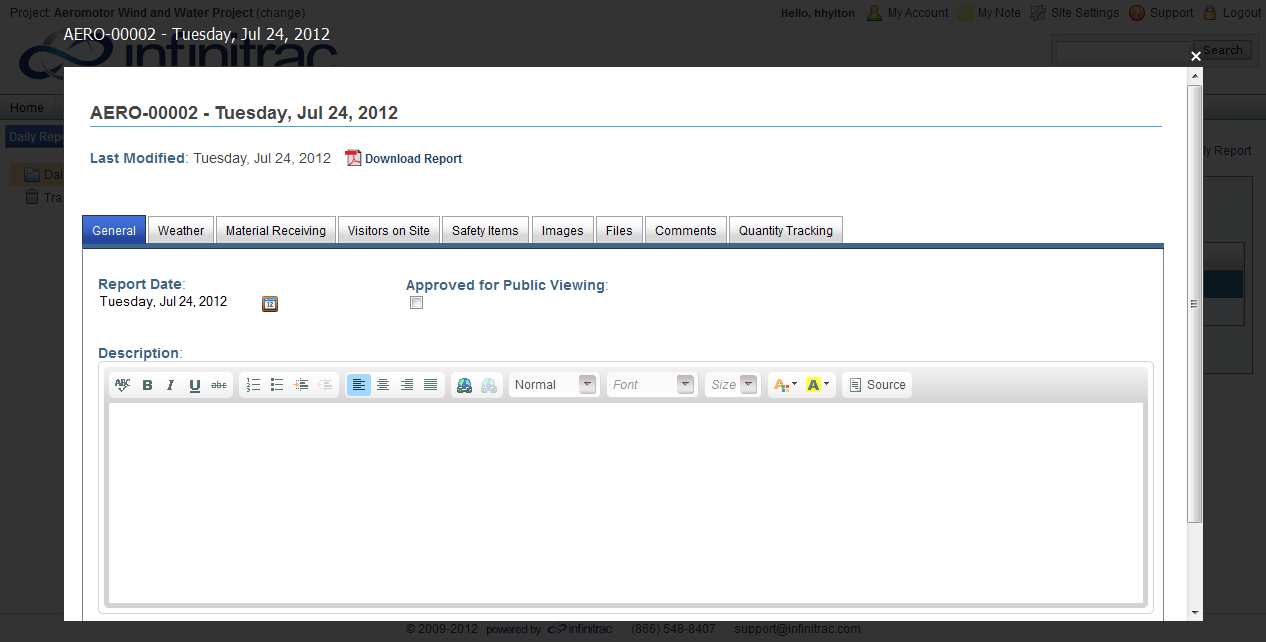
Figure 1 - Daily Report Tab Details
The Daily Report allows users to record project information on a daily basis.
Data added include: General, Weather, Material Receiving, Visitors on Site, Safety Items, Images, Files, Comments, and Quantity Tracking.
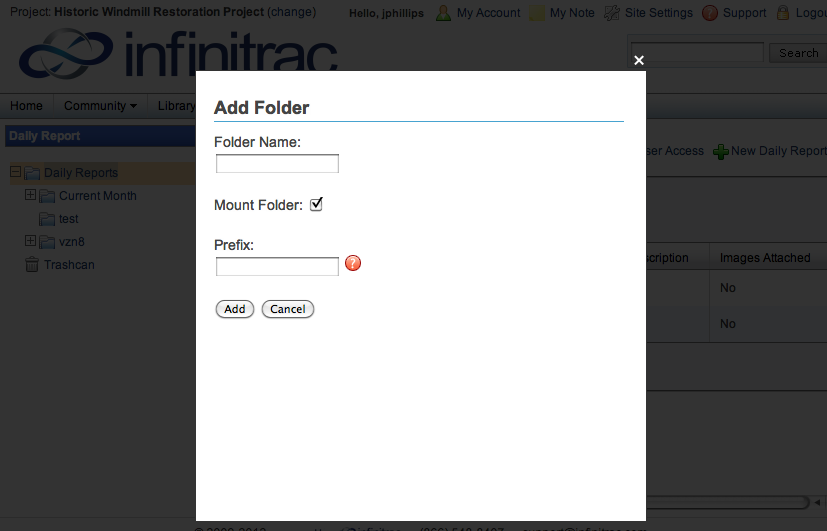
Figure 2 - Creating a new folder
Once you have selected a Daily Report folder, right-click the folder to view the editing options.
Before any Daily Reports can be added to the selected folder, it must have a Prefix set.
To set a Prefix, right click on a folder to view the Folder menu then click the "Set Prefix" icon.
A new window will open allowing the user to set the Prefix to the folder. Click the "Submit" button to apply the Prefix and close the window.
Prefixes may only be set when a Folder is "Mounted." Prefixes cannot be set to Un-Mounted folders. See Editing a Folder.
Daily Reports may be organized into sub-folders, but will maintain their serialized identification.
Clicking the "New Daily Report" button at the top of this screen will add a new daily report to the selected folder. Also see Adding a New Daily Report."
Daily Reports will be named after their Prefix and a serialized number