Delete Cost Control(s)
To delete a Cost Control Transaction, user must have “delete“ permission enabled.

To delete Cost Control Transaction(s):
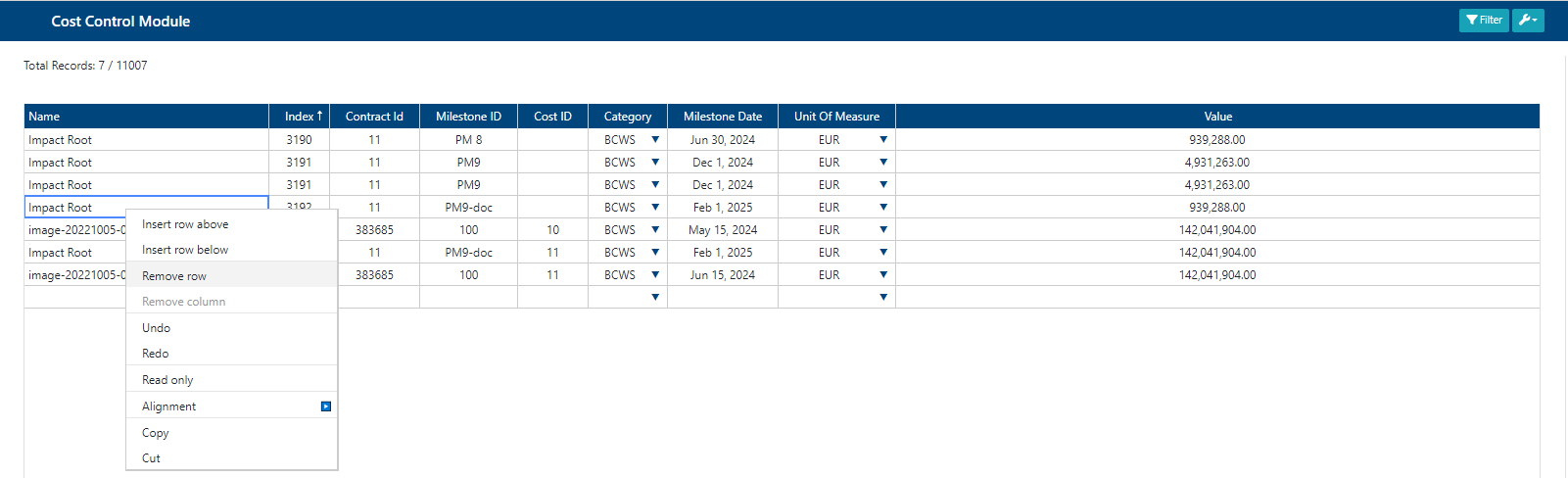
Select the Cost Control Transaction that is to be deleted by clicking on the rows; to select multiple rows, old down Ctrl(Windows) or ⌘(Macintosh) and select each row, then proceed as normal.
Right click on the row(s) to be deleted and a dropdown menu will appear. In the dropdown menu click on “Remove row“.
Click on “Save“ button.
Once the Cost Control Transaction(s) is deleted, a success alert message will be displayed in the top right hand corner with the message: “[Number]/[Number] of Transactions updated“.