Add Cost Control(s)
To add a Cost Control user must have “add permission“ enabled.

To add a Cost Control Transaction from either Daily Report, Non Conformance Report, Issue Resolution, Library or Revision:
Navigate to one the modules mentioned above.
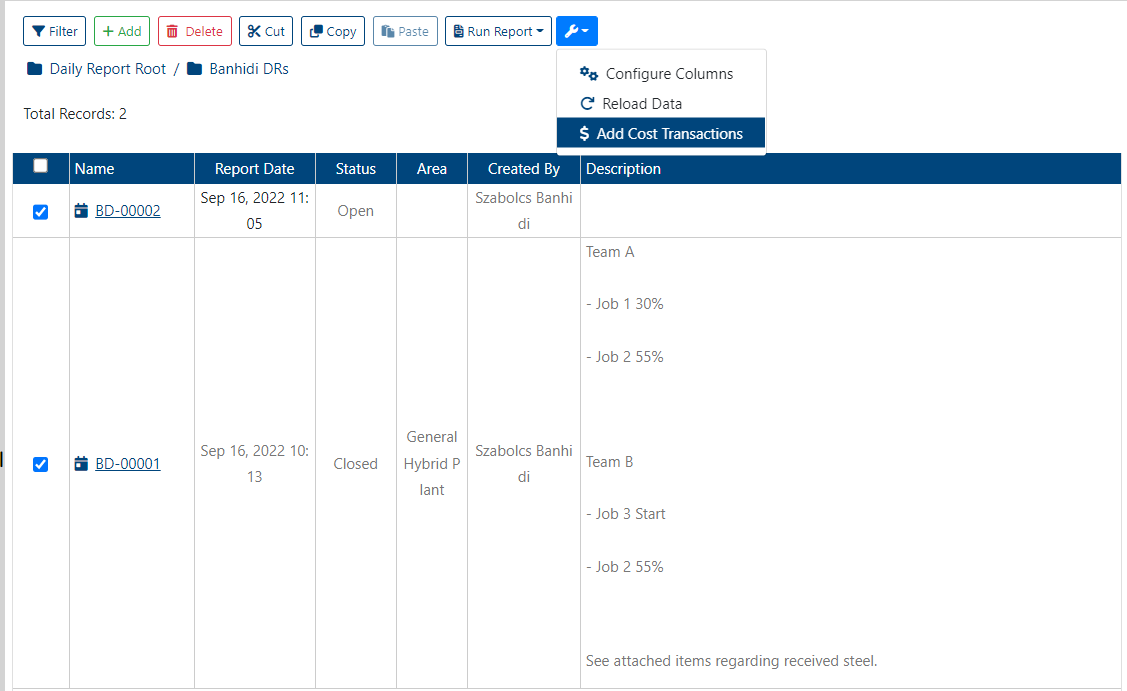
Click on checkbox(es) for item(s) that is to be added to Cost Control table.
Select the “More Options“ dropdown and click on “Add Cost Transactions“ button
The user will be navigated to Cost Control where the selected item(s) can be edited before being saved to the table.
If item(s) contains all necessary values then click on “Save“ button.
Once the new Cost Control Transactions have been added, a success alert message will appear in the top right hand corner with the message: “[Number]/[Number] of Transactions updated“. If the Cost Control Transaction failed to be added the “Save“ and “Revert“ buttons will still be visible and the fields of the selected item(s) will revert to its initial values.
To add a Cost Control Transaction within Cost Control table itself:
Navigate to Cost Control module.
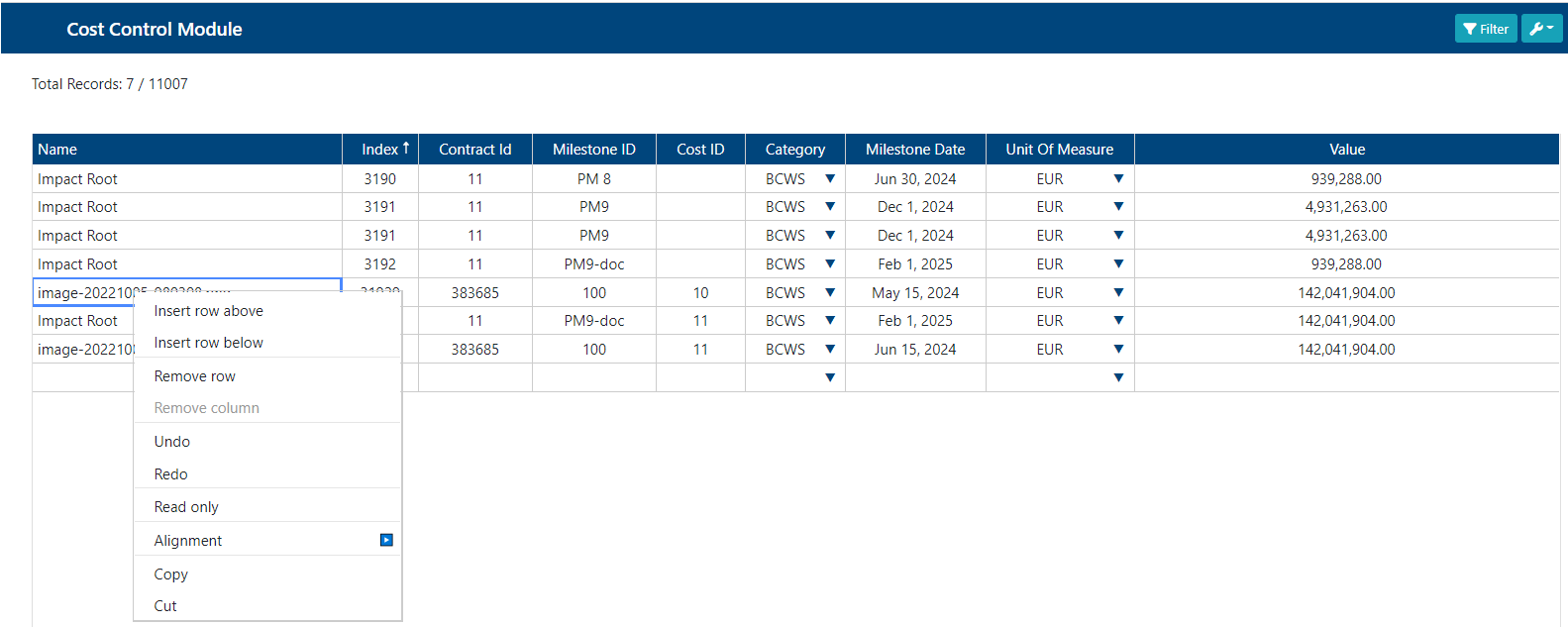
Right click on Cost Control table and click on either “Insert row above“ or “Insert row below“.
An empty row will appear either below or above row that was right clicked on based on options selected.
Fill out fields with values for new Cost Control Transaction.
Once done, click on “Save“ button.
Once the Cost Control Transaction has been added, a success alert message will appear in the top right hand corner with the message: “[Number]/[Number] of Transactions updated“. If Cost Control Transaction failed to be added the message: “0/[Number] of Transactions updated“ will appear in the top right hand corner and the row added will disappear.
Alternatively, a new Cost Control Transaction can be added by navigating to the last page of Cost Control table where an empty row can be found. Filling out the fields in this row and then clicking the “Save“ button will add a new Cost Control Transaction to the table.