Issue Resolution List View
- Add a Issue(s) Resolution
- Copy/Paste Issue(s)
- Cut/Paste Issue(s)
- Delete an Issue(s)
- Dropdown Options for Issue Resolution
- Edit an Issue(s)
- Run Report for Issue Resolution
Issue Resolution List View is used to manage and organize Issue(s) within a folder structure. List View displays Issue(s) status/summary details and provides ability to manage Issues in bulk.
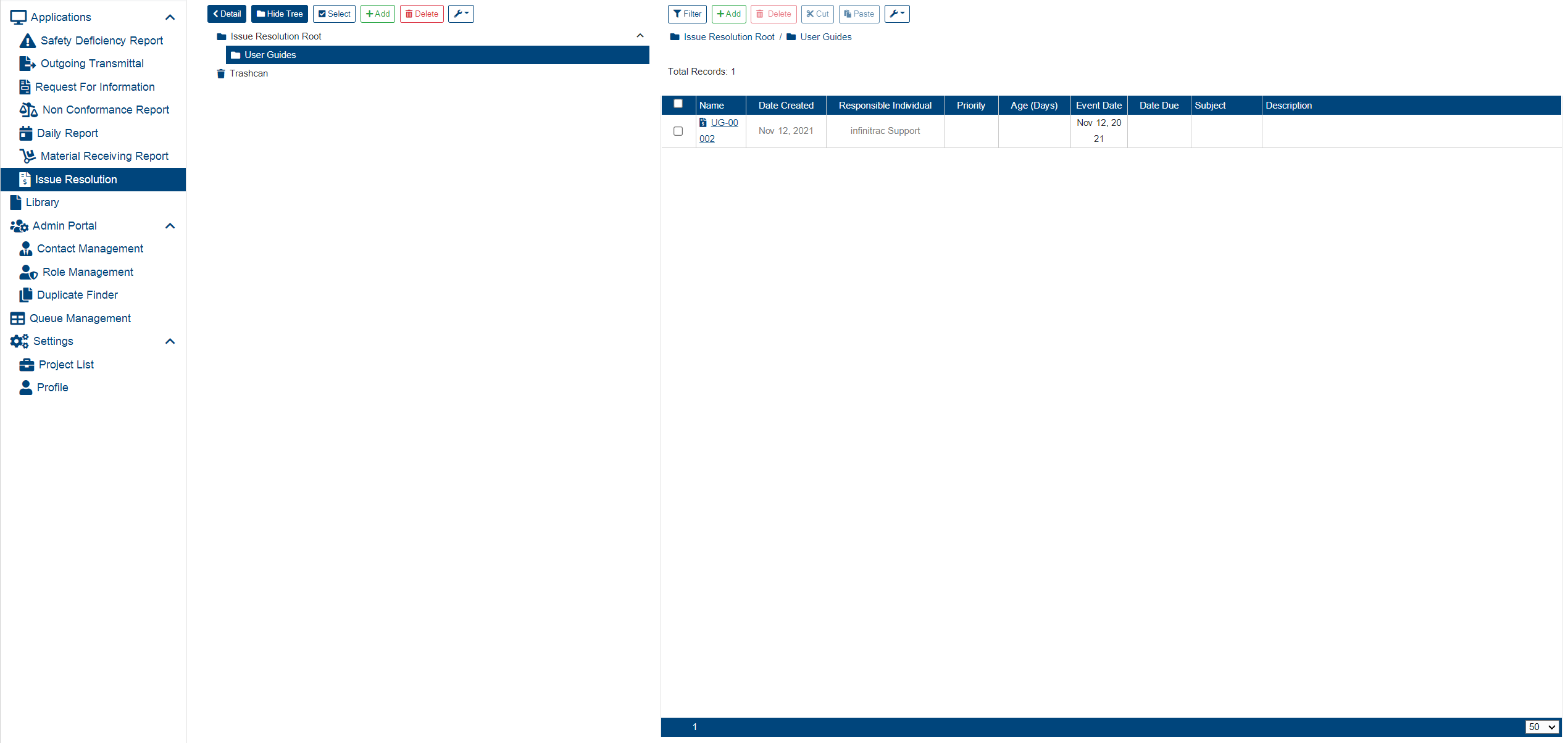
Issue(s) can be organized using a Folder Tree object. Issue(s) can reside only under folders provisioned as “Mount Folders”. Issue Root folder by default, cannot store Issue(s). Its purpose as for other non-mounted folders is mostly for organizing. Each Mount Folder, by default requires a folder prefix which serves as a prefix for Issue names created under it. Last part of Issue name, is a total count of folder items including removed items. Default count length is 5 digits.
Issue naming convention follows this pattern (for example: INF-00001):
Issue Folder Actions
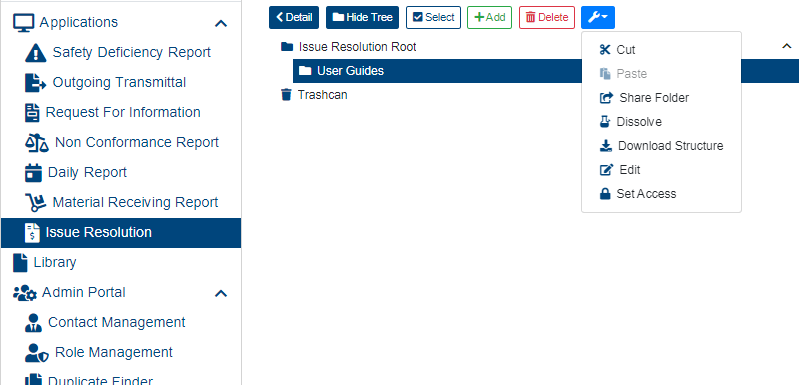
There are many actions available to manage Issue folders, such as (click on a respective link to find out more about each action, below):