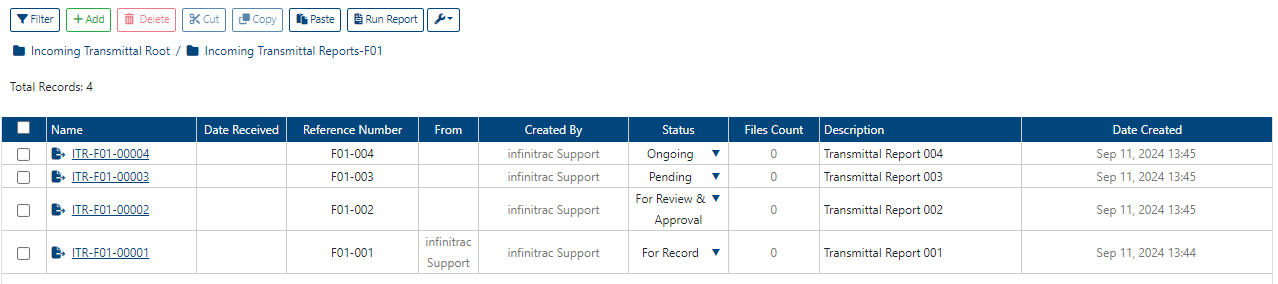
Incoming Transmittal List View
Incoming Transmittal(s) can be organized using a Folder Tree object. Incoming Transmittal(s) can reside only under folders provisioned as “Mount Folders”. Incoming Transmittal Root folder by default, cannot store Incoming Transmittal(s). Its purpose as for other non-mounted folders is mostly for organizing. Each Mount Folder, by default requires a folder prefix which serves as a prefix for Incoming Transmittal names created under it. Last part of Incoming Transmittal name, is a total count of folder items including removed items. Default count length is 5 digits.
Incoming Transmittal naming convention follows this pattern (for example: INF-00001):
<Folder Prefix>-<Count of Folder Items (Including removed items)>
Incoming Transmittal Folder Actions
There are many actions available to manage Incoming Transmittals folders, such as:
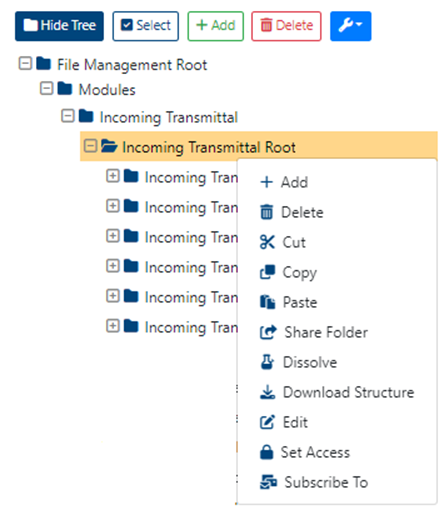
Add
Delete
Edit
Dissolve
Download Structure
Set Access
Share Folder
Cut
Copy
Incoming Transmittal Table
By default, List View Incoming Transmittal Data Table displays 9 columns, such as:
(click on a respective link to find out more about each table column, below):
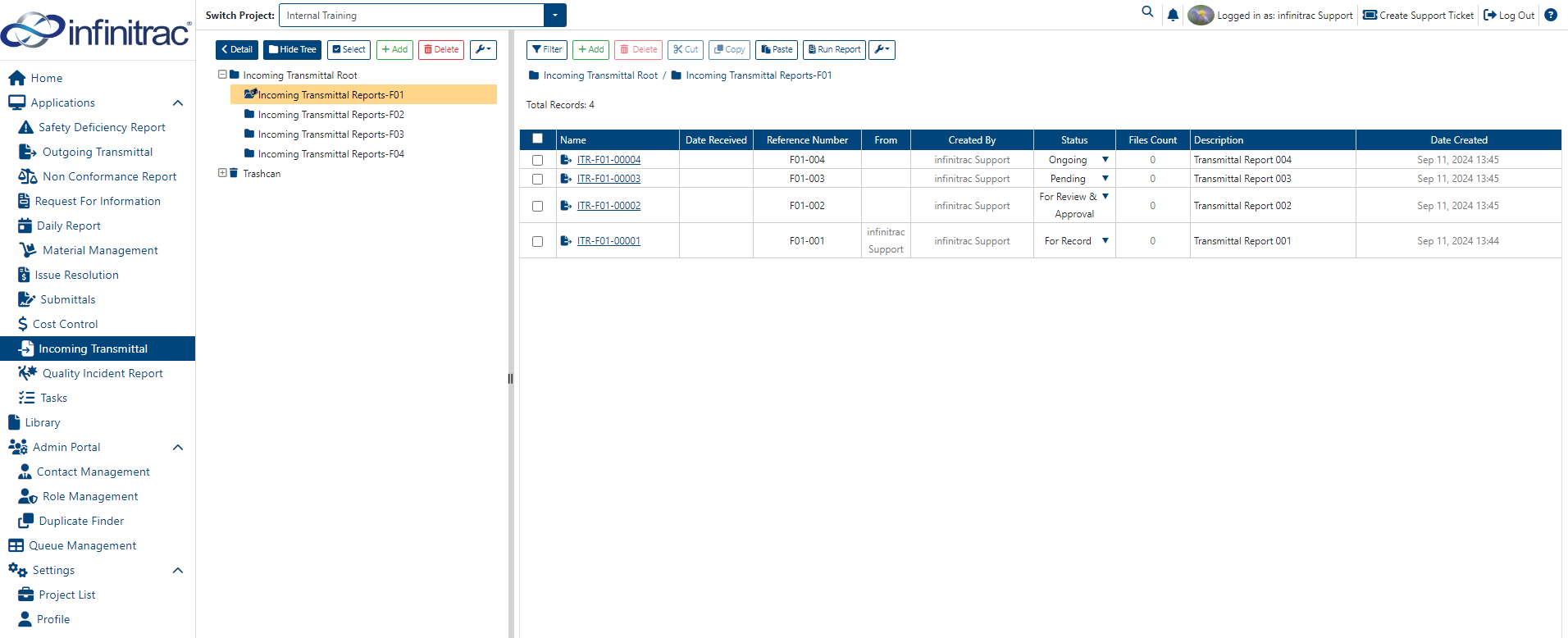
Incoming Transmittal table columns can be customized (removed/added), by using Column Configurator tool. To learn more about infinitrac Data Table features and its use, follow click on this link.
Incoming Transmittal Table Actions
Incoming Transmittal table actions display is varied by different role permissions constructs. These actions documented, below: (click on a respective link to find out more about each module action, below):